Skip to content

Welcome Screen

The Welcome Screen is the first thing you see when launching VBA Padlock Studio. It is designed to be your launchpad, getting you into your workspace as quickly as possible.
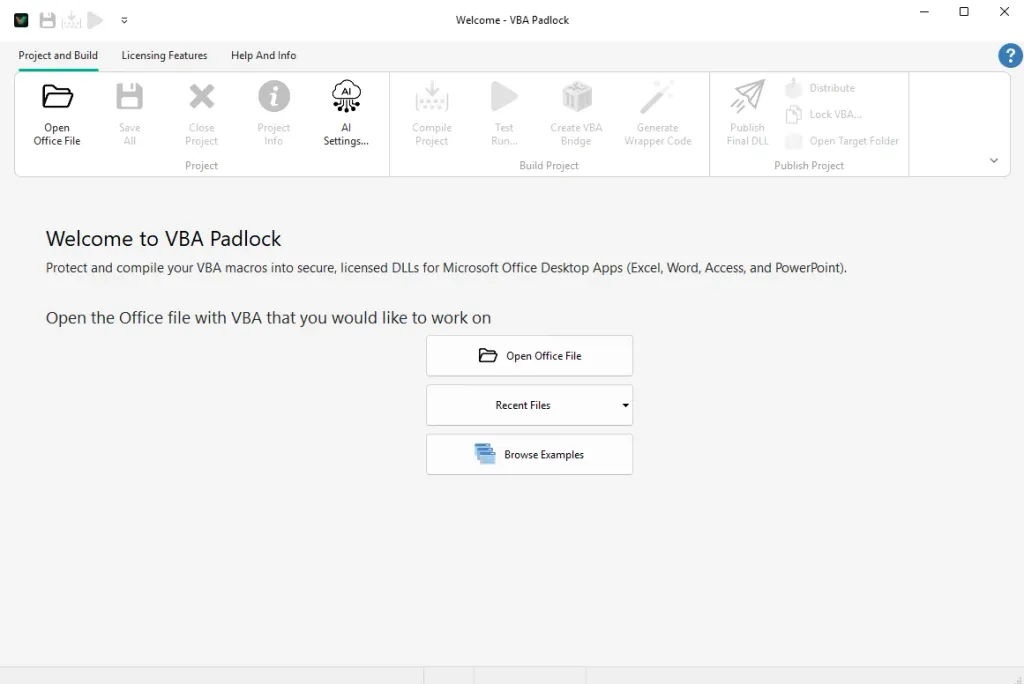
VBA Padlock Studio Welcome Screen


Whether you’re starting from scratch or returning to a masterpiece, the Welcome Screen provides direct routes to your goal:
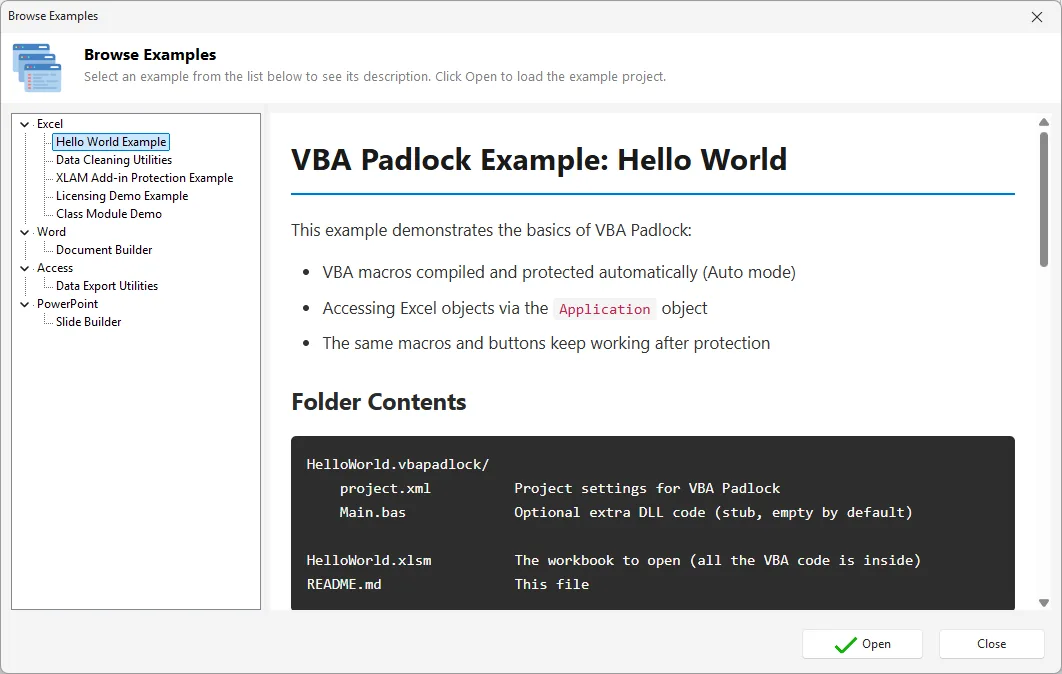
  • Open Office File: The heart of the workflow. Select your Excel, Word, Access, or PowerPoint file to instantly initialize a protection project.
  • Recent History: Resume work on your active projects. The interface keeps a curated list of your most recently accessed files for one-click access.
  • Ready-made Examples: Master the art of protection by exploring our built-in templates and sample projects, covering every major Office application.

  1. Launch: Start VBA Padlock Studio from your desktop or start menu.
  2. Import: Select or drop your target Office document onto the workspace.
  3. Detect: The Studio automatically scans for existing project metadata or initializes a new .vbapadlock project.
  4. Enter: You are instantly transported to the Main Window with your environment ready for development.