Integrated Licensing System
License keys, trial periods, and hardware-locked activation built into your DLL.
Overview
Add license key activation, trial periods, and subscription management to any VBA application - no server required. Generate hardware-locked keys, display built-in activation dialogs, and control how your protected macros are used and distributed.
Key Benefits
- Built-in activation dialog - no extra UI code needed
- Hardware-locked keys prevent unauthorized sharing
- Full, Trial, Subscription, and Feature-based license models
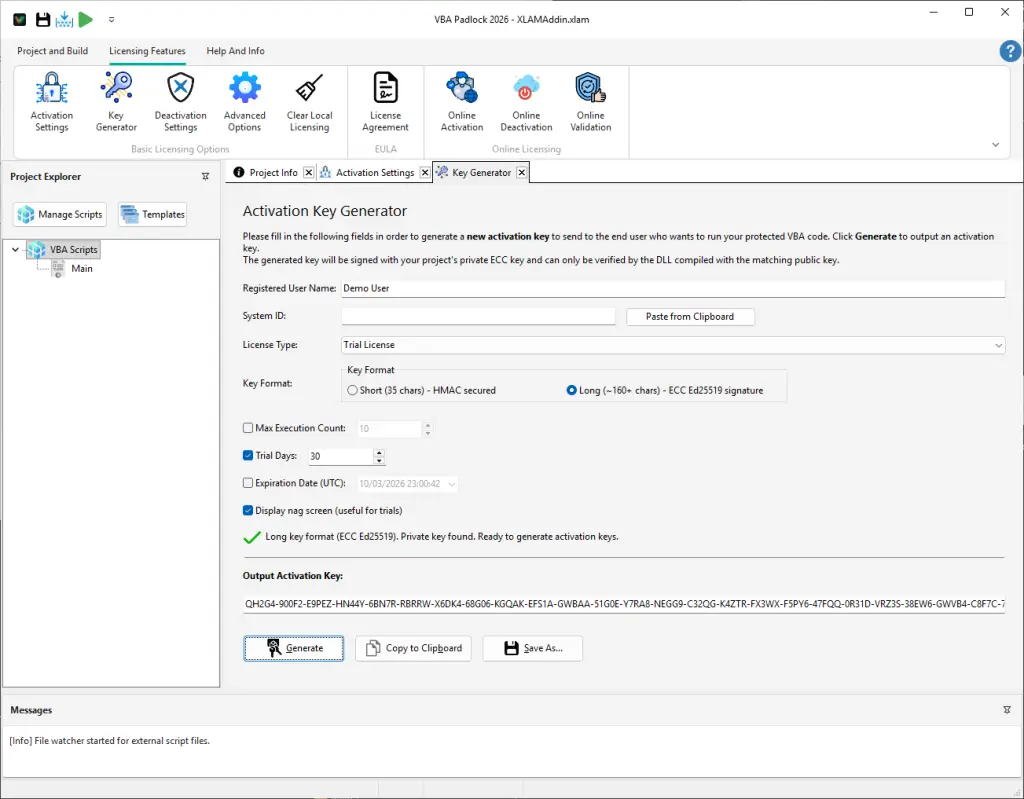
- Built-in key generator with batch export
- Tamper-proof keys with strong cryptographic signatures
- Optional online activation for automated license management
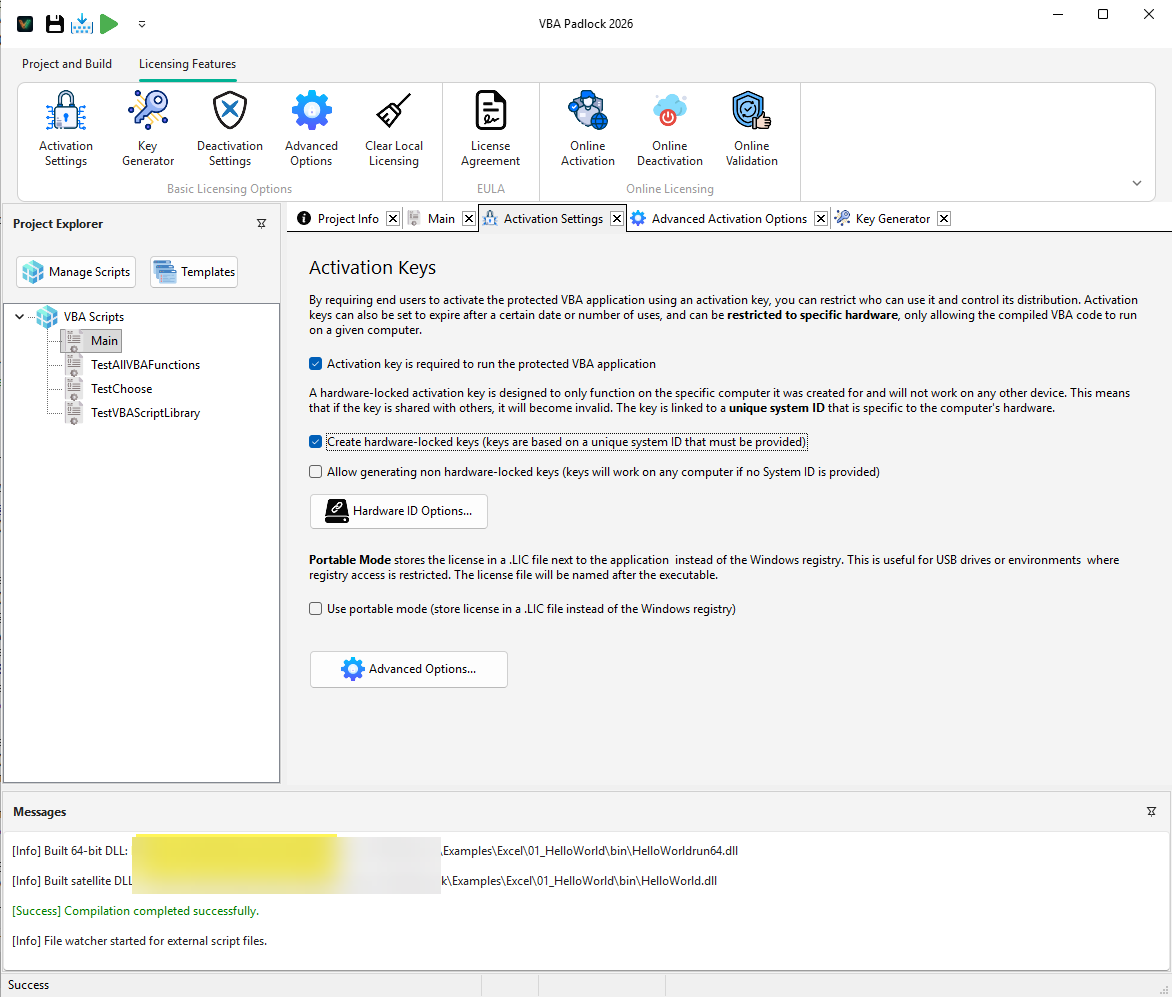
Everything You Need to License Your VBA Application
VBA Padlock bundles a complete licensing toolkit inside your compiled DLL. No third-party services, no external dependencies.
Key Generator
Generate single or batch license keys from VBA Padlock Studio. Export to CSV for your e-commerce or CRM platform.
Activation Dialogs
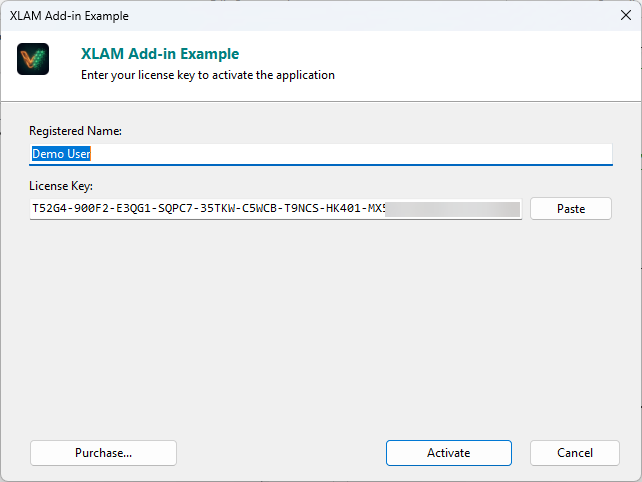
Built-in dialogs for key entry, hardware ID display, and status messages. No UI code to write.
Trial & Evaluation
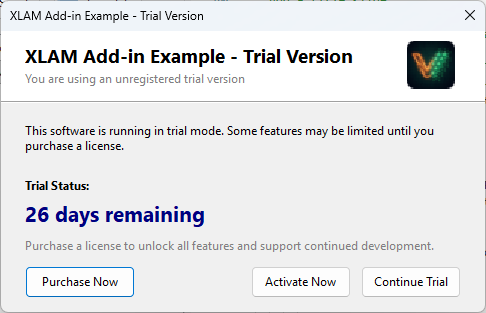
Time-limited or run-limited trial mode with configurable nag screen. Convert prospects to paying customers.
Hardware Locking
Bind each license key to one machine. Prevent key sharing with a fingerprint-based Hardware ID.
Deactivation & Transfer
Let users release a license and reactivate on a new machine - online or via certificate.
Online Activation
Optional server-based activation with the included PHP kit. Automate key validation, quotas, and renewals.
Choose the License Model That Fits Your Business
From simple one-time product keys to recurring subscriptions with online validation - configure it all from VBA Padlock Studio.
Perpetual License
One-time purchase, permanent activation. Ideal for desktop tools and utilities sold with a single price tag.
Excel add-ins, Access database tools
Subscription
Date-based keys with built-in expiration. Combine with online validation to enforce renewals automatically.
SaaS-style VBA tools, annual plans
Trial / Evaluation
Time-limited or run-limited access before purchase. Users see a nag screen with remaining days or launches.
Free trials, feature-limited demos
How License Activation Works
From your end user's perspective, activation is one dialog: enter the license key, and the application runs.
User launches your application
Your VBA macro calls VBAPL_Init to load the compiled DLL. The licensing engine checks for an existing valid license.
Activation dialog appears
If no license is found, a built-in dialog prompts the user to enter their license key (and shows their Hardware ID if needed).
Key is validated and stored
VBA Padlock verifies the key's cryptographic signature, hardware binding, and expiration. Valid licenses are stored locally.
Application runs with full access
Your protected code executes normally. You can query license properties like edition, seat count, or expiration at any time.
Licensing in Action
From key generation in the IDE to the end-user activation experience.
Simple VBA Integration
Check license status in a few lines of VBA. The Bridge module exposes all the helpers you need - activation, trial detection, and license property queries.
If VBAPL_IsLicenseValid() Then
    ' Full license - run protected code
    Call VBAPL_Execute("Main|RunProtectedTask")
ElseIf VBAPL_IsTrialMode() Then
    MsgBox "Trial: " & VBAPL_GetTrialLimitLeft() _
        & " days left."
Else
    ' No license - show activation dialog
    VBAPL_ShowActivation
End If
Activation Return Codes
| Code | Meaning |
|---|---|
| 1 | Activation successful |
| 0 | Cancelled by user |
| -1 | Not initialized / DLL error |
| -2 | Activation not configured |
See the full return codes reference for deactivation, trial, EULA, and online validation statuses.
Key Security
VBA Padlock offers two key formats to fit your distribution workflow:
- Short keys - compact, easy to type or dictate. Ideal for manual delivery and B2B scenarios.
- Long keys - asymmetric digital signatures (ECC Ed25519). Tamper-proof and recommended for online activation.
Both formats are project-specific - a key generated for one application cannot unlock another.
Frequently Asked Questions
What license models does VBA Padlock support?
Do I need a server for license activation?
Can I add a free trial to my VBA application?
Are license keys tied to specific computers?
How secure are VBA Padlock license keys?
Ready to Monetize Your VBA Projects?
Download VBA Padlock and start selling protected Office solutions. One-time purchase, no royalties, no subscription.