Package Structure
Understand the three DLL files and folder layout. View Reference →
The Distribution workspace is where you prepare your finalized software for the world. It automates the task of gathering your Office files, protected runtimes, and secure bytecode into a single, clean package ready for your end-users.
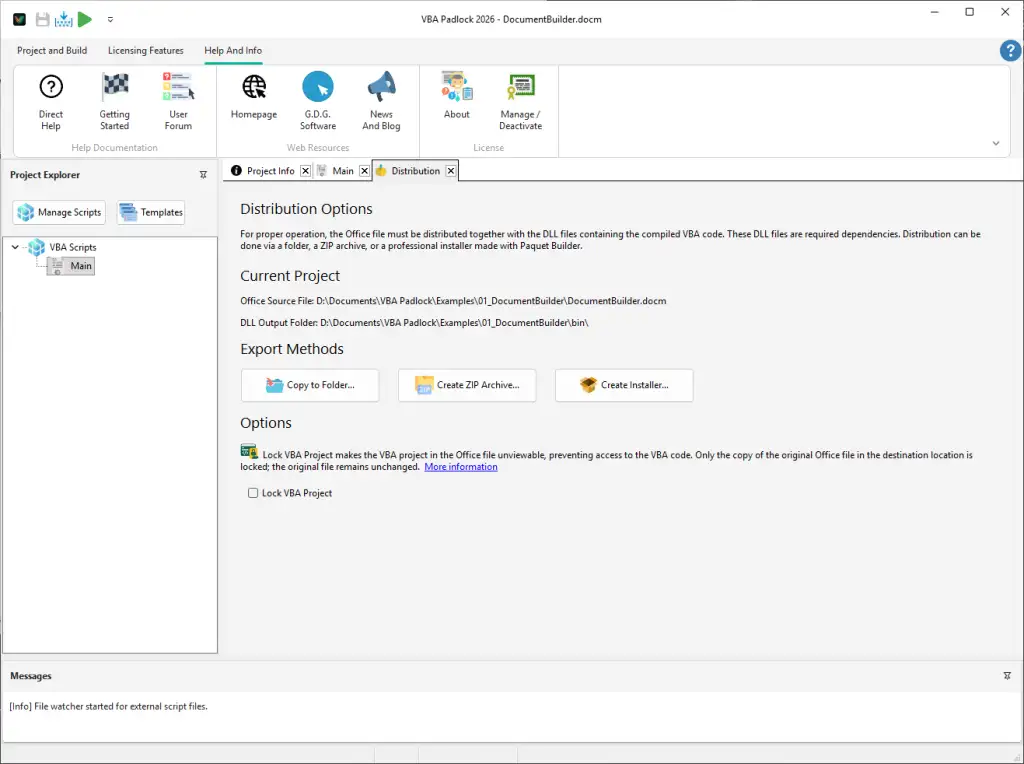
Choose the distribution method that best fits your customer’s infrastructure and technical profile:
A standard distribution package follows a strict hierarchy to ensure the VBA Bridge can always locate its security engine:
Project_Package/├── Financial_Model_protected.xlsm ← The produced Office file (wrappers + VBA Bridge)└── bin/ ← The logic powerhouse ├── ProjectName.dll ← Your secure bytecode ├── ProjectNamerun32.dll ← 32-bit execution engine └── ProjectNamerun64.dll ← 64-bit execution engine_protected file as the shipping candidate.bin\ folder are both present.Package Structure
Understand the three DLL files and folder layout. View Reference →
Lock VBA Project
Learn about advanced locking. View Reference →
Create Installer
Build a full setup program. View Reference →