Compiled Script (DLL)
' Inside VBA Padlock StudioIf IsEulaAccepted() Then ' Continue with sensitive logicEnd IfEnsure your users agree to your legal terms before they even see your application’s interface. VBA Padlock allows you to embed a professional License Agreement (EULA) dialog that acts as a secure gateway to your software.
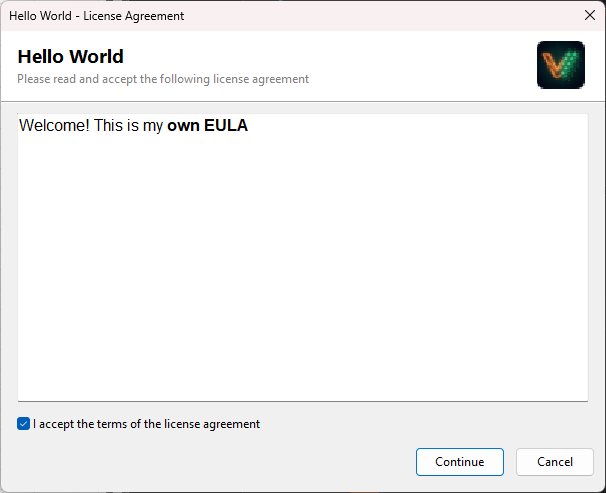
The EULA dialog appears automatically the first time your protected code initializes (right after activation, if activation is required) and blocks execution until the user accepts.
Write or paste your agreement directly into the VBA Padlock Studio editor.
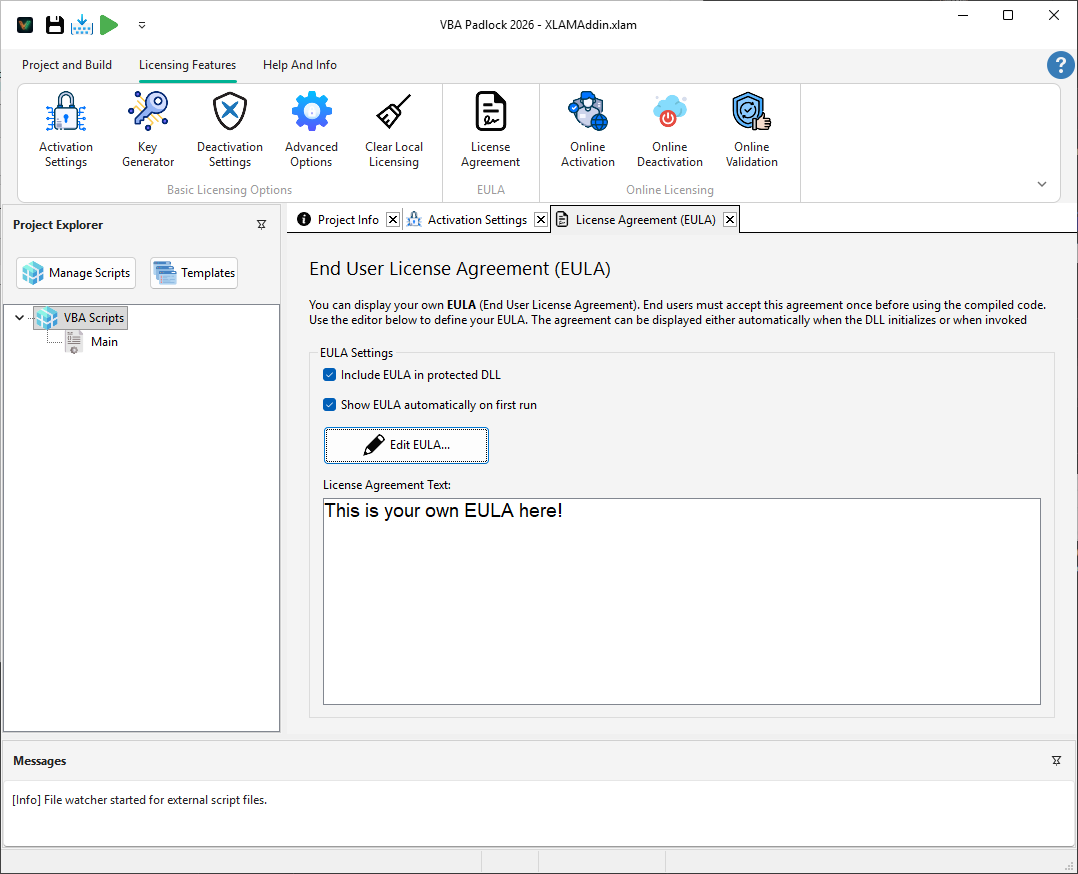
Configure the behavior of the dialog in the Licensing Features → License Agreement tab:
You can programmatically check if the user has accepted the terms to enable or disable specific features within your application.
Compiled Script (DLL)
' Inside VBA Padlock StudioIf IsEulaAccepted() Then ' Continue with sensitive logicEnd IfOffice VBA (Bridge)
' In your Excel/Word moduleIf Not VBAPL_IsEulaAccepted() Then MsgBox "Please accept the EULA first."End IfThe EULA dialog is fully localizable. You can change these labels in your JSON locale file.
| Key | Default Label (English) |
|---|---|
eula.dialogTitle | License Agreement |
eula.labelSubtitle | Please read and accept the following license agreement |
eula.checkAccept | I accept the terms of the license agreement |
eula.btnContinue | Continue |
Localization
Translate your EULA buttons and labels into any language. Learn how →
Licensing System
Learn about hardware locking and license key generation. View overview →
Trial Mode
Allow users to try your software before they subscribe. Configure Trial →