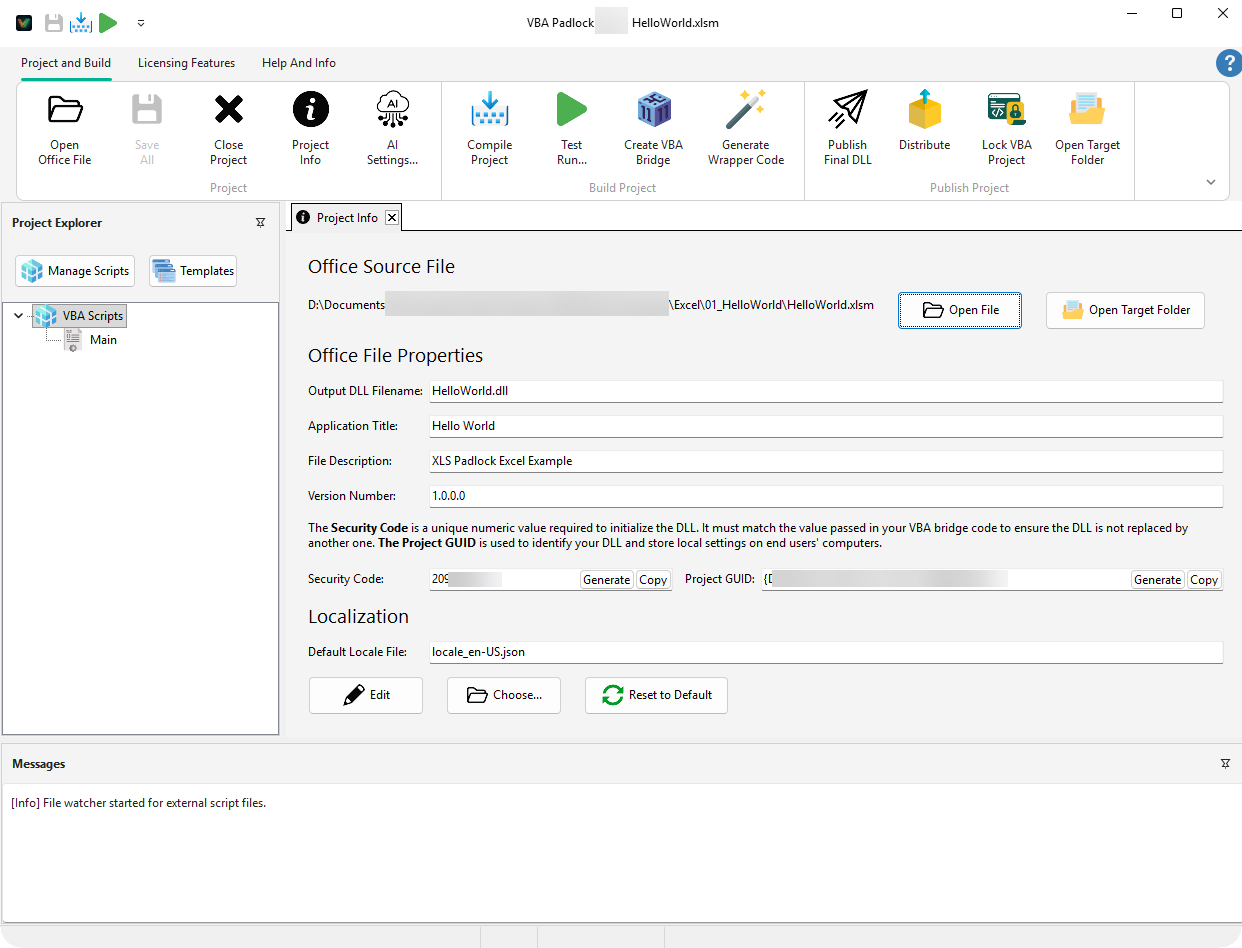
The Project Info tab is the configuration hub for your application. This is where you define its public identity, its output files, and the technical identifiers linking your Office document to its protected DLL. In the automatic workflow, sensible defaults are filled in when you open your Office file; review them here before shipping.
Office Source File: The path to the Excel, Word, PowerPoint, or Access file associated with this project. Click Open File to launch it in its native Office application.
Output DLL Filename: The base name of your DLL set: the satellite DLL (Name.dll) and the runtimes (Namerun32.dll, Namerun64.dll) all derive from it.
Output Modified Office File: Where the protected copy is written by Produce; by default, <name>_protected<ext> next to your source.
File Description: A brief description visible in the Windows file properties (Right-click DLL → Details).
The Security Code is the cryptographic link between the VBA Bridge and your DLL, a whole number between 1 and 2147483647. It is a fundamental part of the multi-layered security model.
Customize the language and text for all interfaces displayed to your end users. For a deep dive into how translation works, see the Localization Feature.
Default Locale File
By default, VBA Padlock uses English. You can provide your own JSON file to translate dialogs (Activation, EULA, Errors).
Choose…: Select a custom .json locale file.
Edit: Open the built-in translator.
Reset to Default: Revert to the original English texts.