VBA Padlock Studio
Modern development environment with automatic analysis, code editor, and project management.
Overview
A modern development environment with Office 365-style ribbon interface. Open your Office file, review the automatic analysis, produce a protected copy, configure licensing, and generate keys - all from a single application.
Key Benefits
- Office 365-style ribbon interface with tabbed workflow
- Automatic per-procedure analysis with the Protection Review
- Integrated VBA code editor with syntax highlighting and protection markers
- Project Explorer for managing standard and class modules
- Built-in key generator for creating activation keys
- Test Run: produce the protected file and open it in one click
- EULA management and license agreement configuration

A Purpose-Built IDE
VBA Padlock Studio is designed specifically for VBA protection and distribution. The interface follows one clear path: open your Office file, review the analysis in the Protection Review, and produce a protected copy ready to ship.
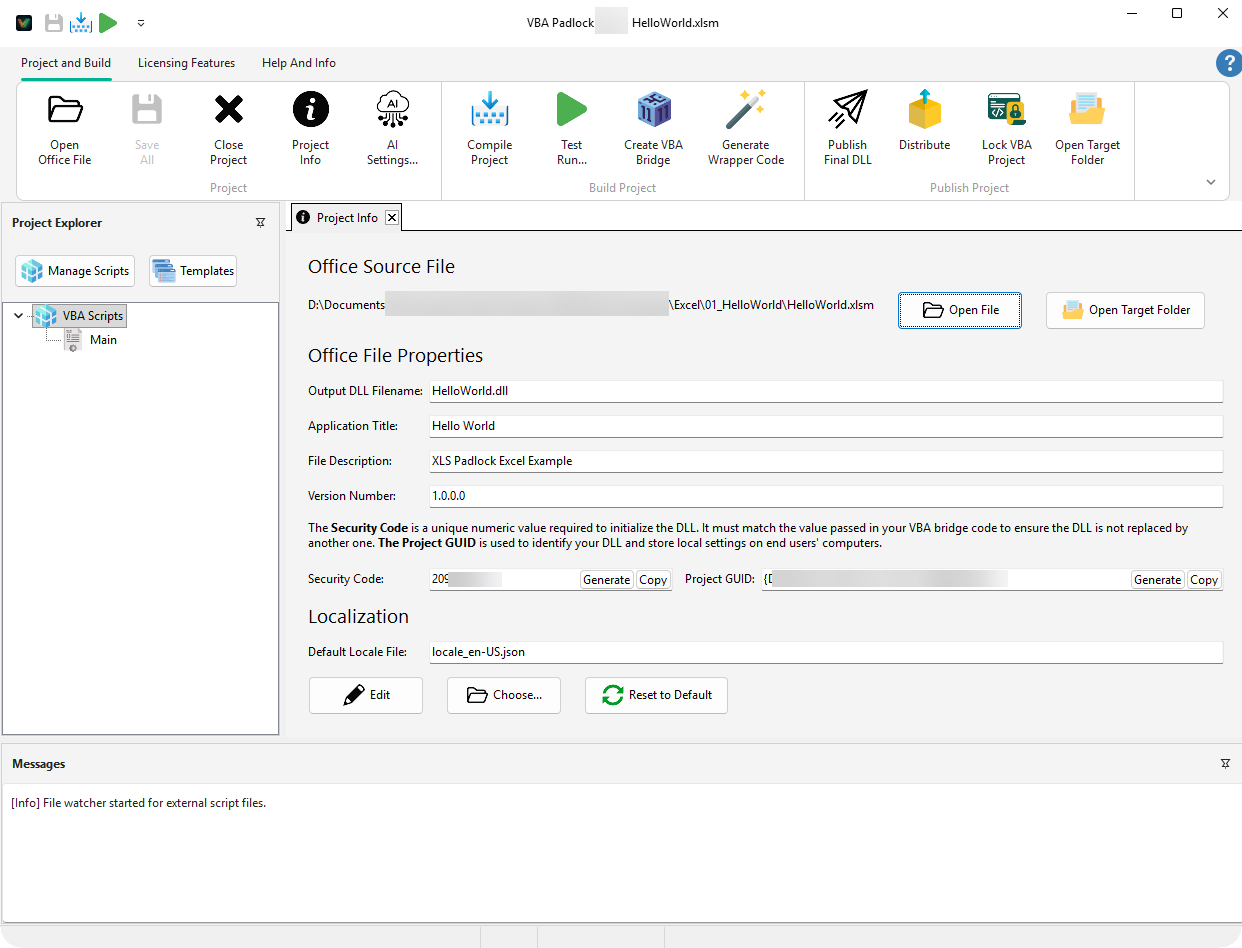
From Office File to Protected Copy in Five Steps
Open your file, review the analysis, produce a protected copy - the ribbon guides you through each step, no external tools required.
Open
Open or drop a macro-enabled Office file. VBA Padlock extracts the VBA project and analyzes every procedure automatically.
Review
The Protection Review shows what moves into the compiled DLL and what stays in the document (event handlers, UserForms). Refine the extracted code in the Code Editor if needed.
Compile & Test
Press F5 to compile with hot reload. Test Run (Ctrl+F5) produces the protected file and opens it in Office; Run DLL Function calls individual functions.
Configure
Set up licensing, activation keys, EULA, trial mode, and hardware locking from the Licensing Features ribbon tab.
Produce & Distribute
Click Produce to build the signed DLLs, generate the wrappers and VBA bridge, and save a protected copy of your file - your original is never modified. Then package it as a ZIP or installer.
A Code Editor Built for VBA
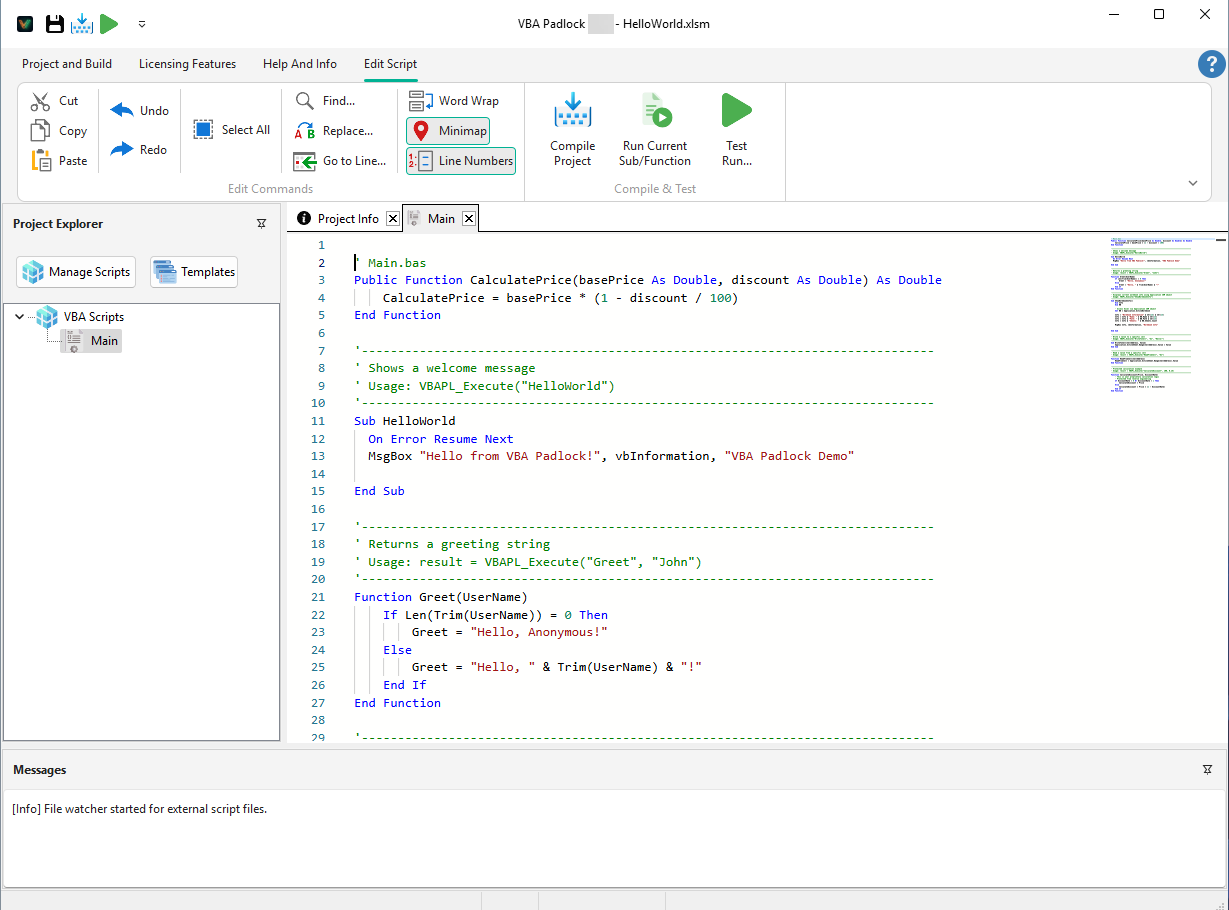
Extraction is automatic, and the Code Editor is where you refine the extracted code or add new logic. Organize code across standard and class modules, use IntelliSense for the 80+ built-in functions, and get instant feedback from the compiler - all without leaving the IDE.
VBA Syntax Highlighting
Keywords, strings, comments, and operators are color-coded for easy reading.
Real-time IntelliSense
Auto-complete for built-in VBA functions, constants, and project-specific variables.
Standard and Class Modules
Organize code across standard (.bas) and class (.cls) modules. Main is the entry point; add as many as you need.
Error Navigation
Double-click any compilation error in the Messages panel to jump to the exact line and module.
Script Templates
Insert ready-to-use snippets for licensing, initialization, and common workflows.
References Dialog
Compile Office constants (xl*, wd*, pp*, ac*, mso*, fm*) directly into the DLL.
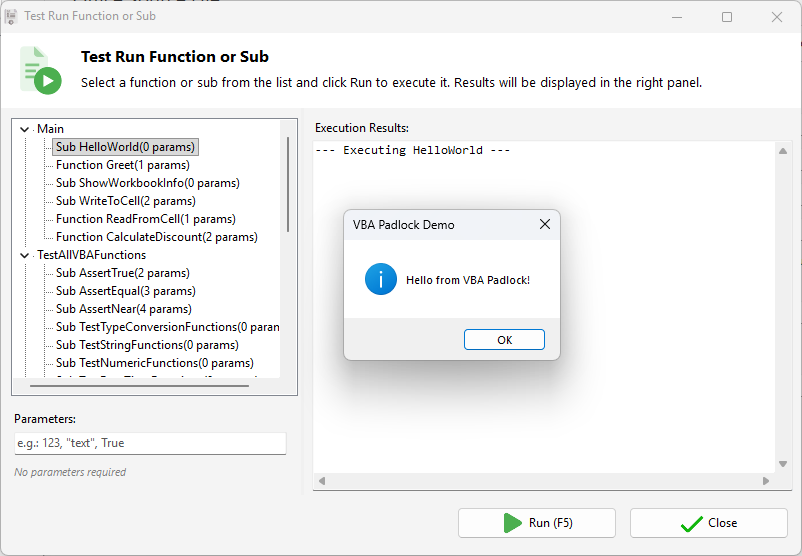
Compile and Test Without Leaving the IDE
Press F5 to compile with hot reload. The four-stage pipeline (parse, analyze, generate bytecode, verify) runs in seconds and reports results in the Message Log - green for success, red for errors, yellow for warnings.
Then start a Test Run with Ctrl+F5 to produce the protected file and open it in Office, so you can click your buttons and check your formulas for real. To call a single compiled function with parameters, use the Run DLL Function dialog.
Explore the IDE Documentation
Protect tab overview
The complete ribbon tab and workflow reference.
Code Editor
Syntax highlighting, IntelliSense, and module management.
Protection Review
See what moves into the DLL and what stays in your document.
AI Settings
Connect Claude, ChatGPT, or Gemini to the built-in MCP server (19 tools).
Ready to Monetize Your VBA Projects?
Download VBA Padlock and start selling protected Office solutions. One-time purchase, no royalties, no subscription.