VBA to DLL - How VBA Compilation Works
VBA Padlock extracts your VBA macros and compiles them into native 32-bit and 64-bit Windows DLLs. In the protected copy, your source code is replaced by bytecode that cannot be decompiled.
What Is VBA to DLL Compilation?
VBA to DLL compilation is the process of transforming your VBA source code into native Windows DLL files containing compiled bytecode. Unlike obfuscation (which scrambles readable code) or password protection (which hides it behind a removable flag), compilation produces a completely different binary format - the original VBA simply does not exist anymore.
VBA Padlock handles the entire pipeline: extraction, analysis, bytecode generation, DLL packaging, code signing, and wrapper and VBA Bridge generation. You open your existing Office file, review the analysis, click Produce, and receive a protected copy with ready-to-distribute signed DLLs. Your source file is never modified.
The Compilation Pipeline
Four steps from your existing Office file to a protected copy with signed, distributable DLLs.
Open Your Office File
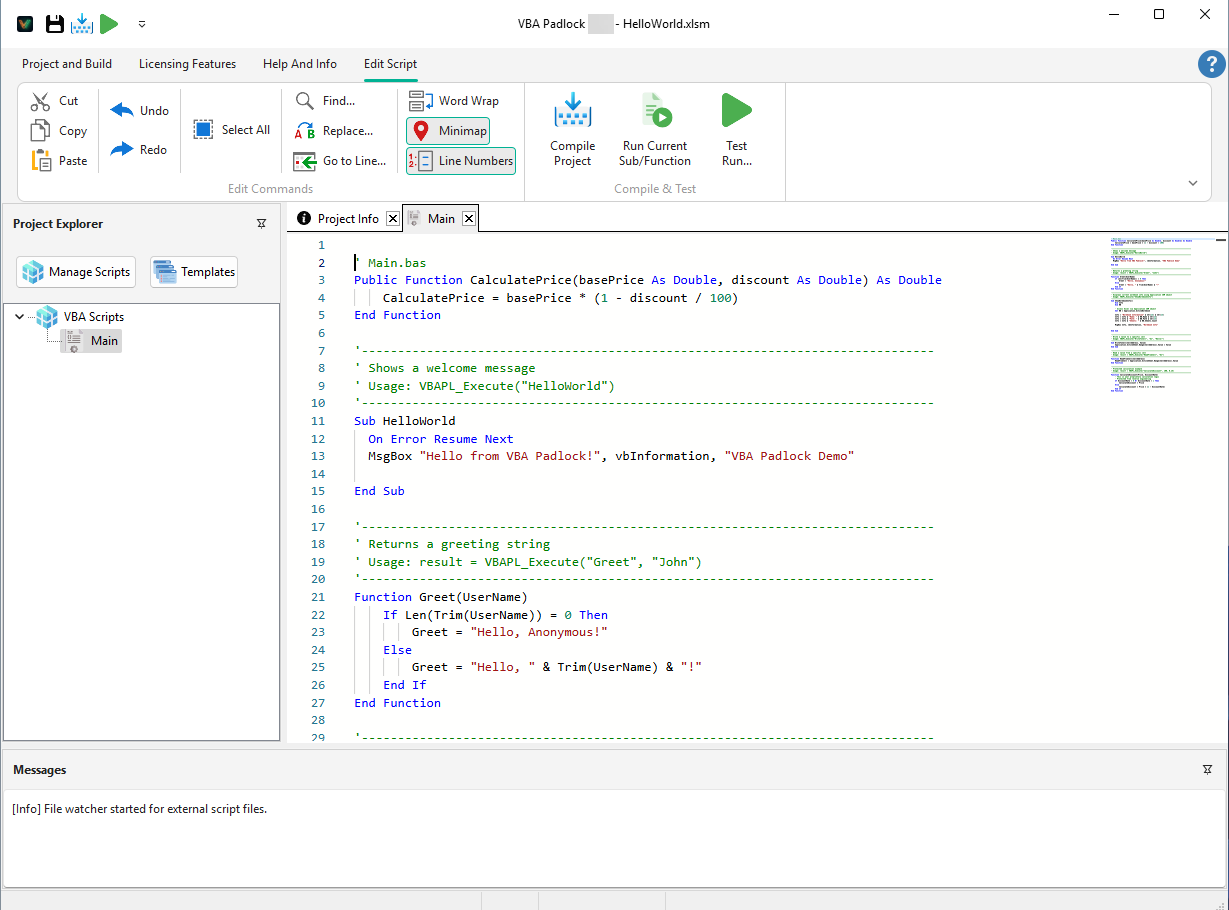
Open your existing workbook, document, database, or presentation. VBA Padlock extracts your macros and analyzes them procedure by procedure.
Review the Analysis
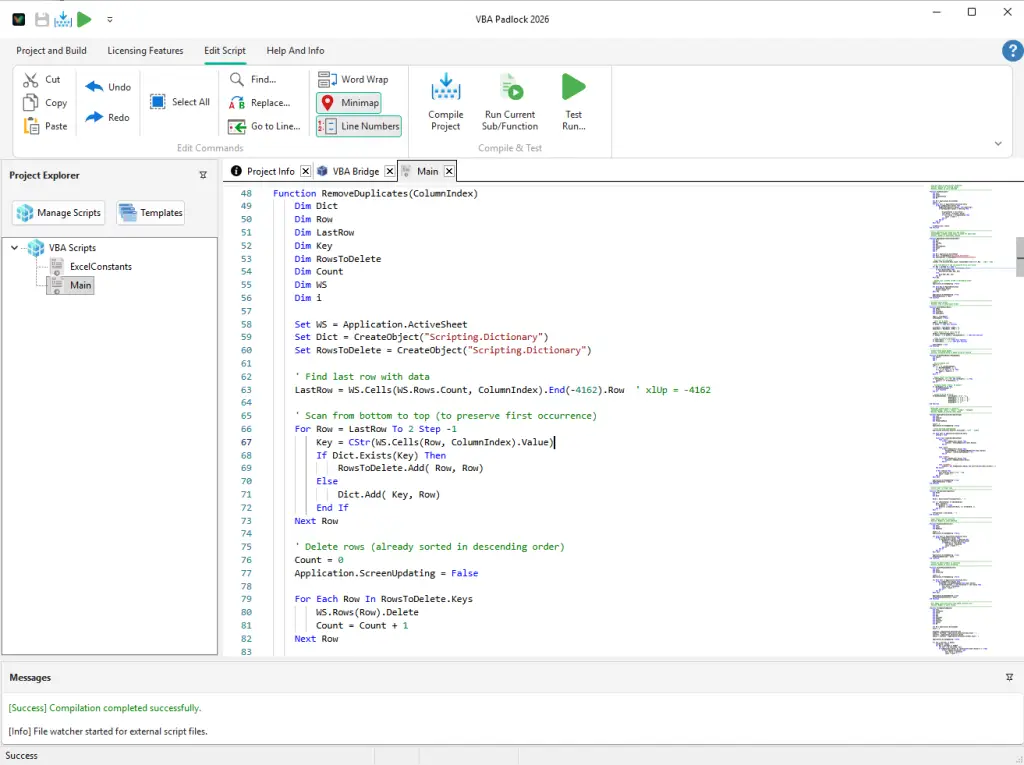
The Protection Review shows what moves into the compiled DLL and what stays in the document by design - event handlers, UserForms, document code.
Produce the Protected Copy
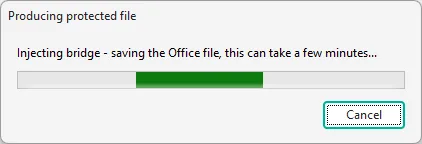
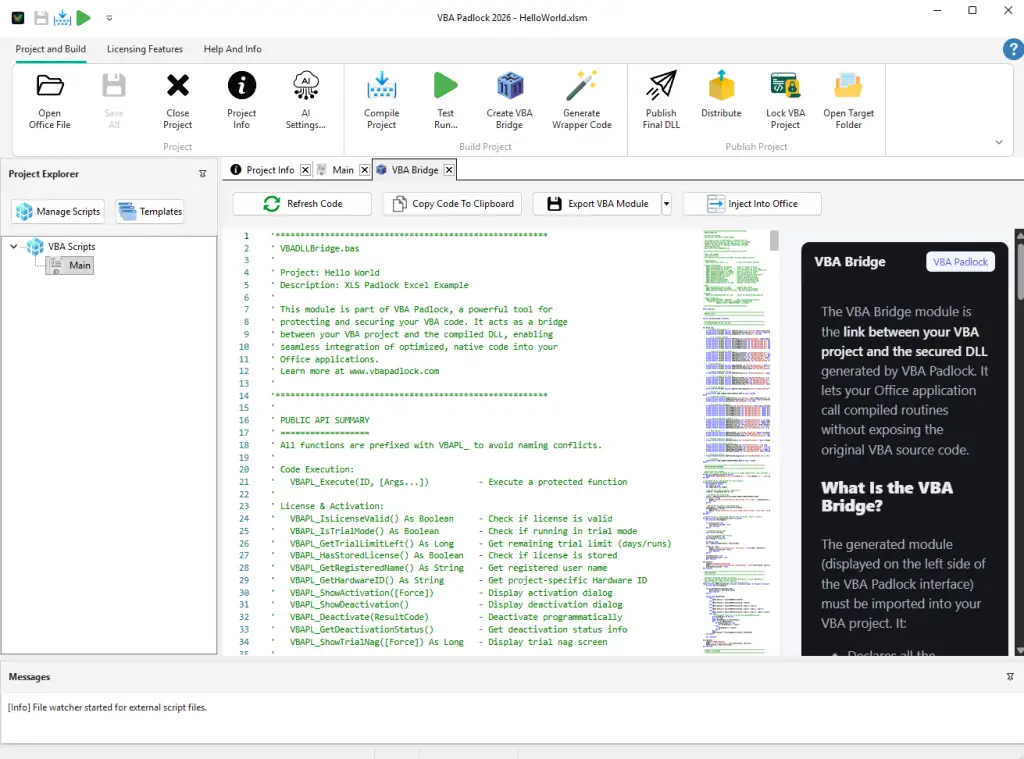
Click Produce. Your procedures are compiled into bytecode in a satellite DLL; wrappers with the same names and signatures plus the VBA Bridge are injected into a protected copy. Your source file is never modified.
Distribute Signed DLLs
Ship the protected copy with its bin/ folder: Authenticode-signed 32-bit and 64-bit runtime DLLs plus the satellite DLL containing your compiled code.
The Compilation Process in VBA Padlock
From the extracted code to compiled DLL output - see the process in action.
What VBA Padlock Produces
After you click Produce, the output folder contains the protected
copy of your Office file and a
bin/
directory with three DLL files. This is the complete distribution package
- nothing else is needed.
MyProject/
├── MyProject_protected.xlsm     ← Protected copy (wrappers + VBA Bridge)
└── bin/                         ← DLL directory
    ├── MyProjectrun32.dll       ← 32-bit runtime (Authenticode-signed)
    ├── MyProjectrun64.dll       ← 64-bit runtime (Authenticode-signed)
└── MyProject.dll ← Satellite DLL (compiled bytecode)| File | Purpose | Signed |
|---|---|---|
| {Name}run32.dll | Runtime for 32-bit Office | |
| {Name}run64.dll | Runtime for 64-bit Office | |
| {Name}.dll | Satellite DLL with compiled bytecode | Optional |
Before and After Compilation
Left: your original VBA, extracted and compiled into the DLL. Right: what users see in the protected copy - generated wrappers and the Bridge module, no business logic.
Function ProcessData(InputRange, OutputCell)
    Dim Total As Double
    Dim i As Long

    For i = 1 To InputRange.Rows.Count
        Total = Total + InputRange.Cells(i, 1)
    Next i

    Application.ActiveSheet _
        .Range(OutputCell).Value = Total
    ProcessData = Total
End Function' VBA Bridge - auto-generated by VBA Padlock
' This module loads the compiled DLL and
' routes function calls. No business logic.
Sub RunProcessData()
Dim Result As Variant
Result = VBAPL_Execute( _
"ProcessData", _
Range("A1:A100"), "B1")
MsgBox "Total: " & Result
End SubProduce and Distribute
One click on Produce compiles the DLL, generates the wrappers and VBA Bridge, and saves a protected copy of your file.
What DLL Compilation Gives You
Compilation is not just about protection - it's a complete distribution framework for professional VBA applications.
Source Code Removed
Your VBA logic is compiled into bytecode. There is no readable business logic left in the protected copy or in the DLL - the VBA Editor shows only thin wrappers and the Bridge module.
COM Access Preserved
All COM object calls (Application, Workbooks, Documents, Ranges, Recordsets) work exactly as before. The bytecode interpreter handles COM interop transparently.
Digitally Signed Output
Runtime DLLs are Authenticode-signed by G.D.G. Software, so Windows names the publisher rather than warning about an unknown one.
Dual Architecture
Every project produces both 32-bit and 64-bit DLLs. The VBA Bridge loads the correct runtime automatically based on the user's Office installation.
Built-in Licensing
Add license keys, hardware locking, trial periods, and online activation - all compiled into the DLL. No extra code needed in your Office file.
Zero Dependencies
End users need only Microsoft Office (2016+). No runtime, no .NET Framework, no admin rights. Ship the protected copy with the bin/ folder and you're done.
Learn More
Deep dive into the compilation engine
Why VBA passwords don't protect code
Why obfuscation is not enough
Monetize with licensing and distribution
Why you need a VBA compiler and how it works
Ready to Monetize Your VBA Projects?
Download VBA Padlock and start selling protected Office solutions. One-time purchase, no royalties, no subscription.