Sell Your VBA Application with Confidence
You built a powerful VBA tool. Now protect it, license it, and sell it as a real software product - with compiled DLLs, hardware-locked keys, and professional distribution.
The Challenge of Selling VBA-Based Software
You've built a powerful Excel workbook, a Word template, or an Access database that saves hours of work. You want to sell it - but VBA macros are trivially easy to copy and modify. Password protection is bypassed in seconds. Obfuscation just renames variables.
Without real code protection and licensing, anyone who receives your file can extract your macros, remove your branding, and redistribute your work for free. You can't enforce trial periods, you can't lock to hardware, and you have no way to manage who uses your software.
VBA Padlock solves every part of this problem: compile your code so it can't be stolen, add licensing so you control access, and package everything for professional distribution.
From VBA Code to Commercial Product
Four steps to turn your VBA macros into a professional, licensed software product.
Protect Your Code
Open your existing Office file - VBA Padlock extracts your macros and compiles them into signed DLLs automatically. The protected copy it produces contains no readable source code.
Add Licensing
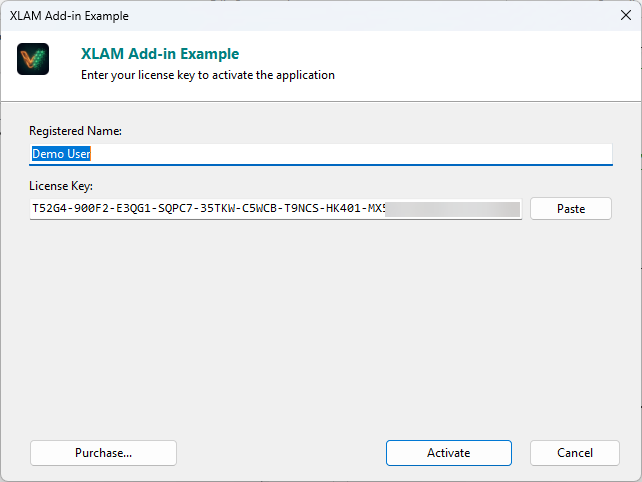
Configure license keys, hardware locking, trial periods, and activation dialogs - all built into the compiled DLL, ready to enforce.
Package & Distribute
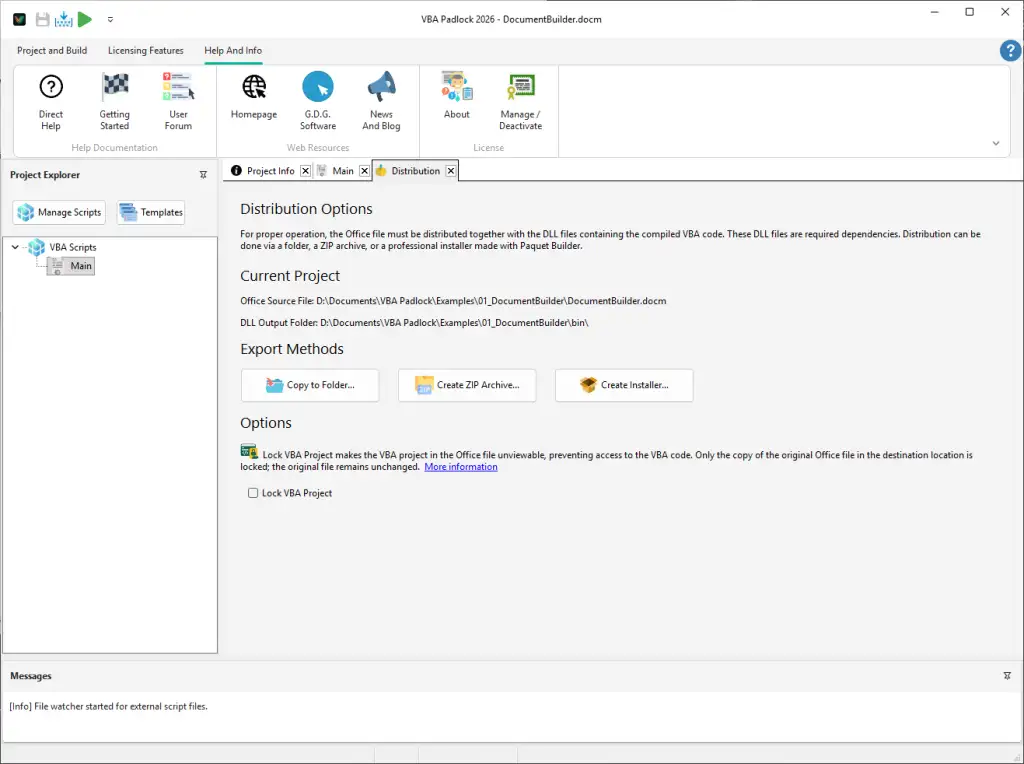
Use VBA Padlock's distribution tools to create ZIP archives or installers. Ship the protected copy of your Office file with the bin/ folder containing your DLLs.
Sell & Manage
Generate license keys for customers, manage activations online, and handle upgrades or transfers with the built-in deactivation system.
Built-in Licensing and Activation
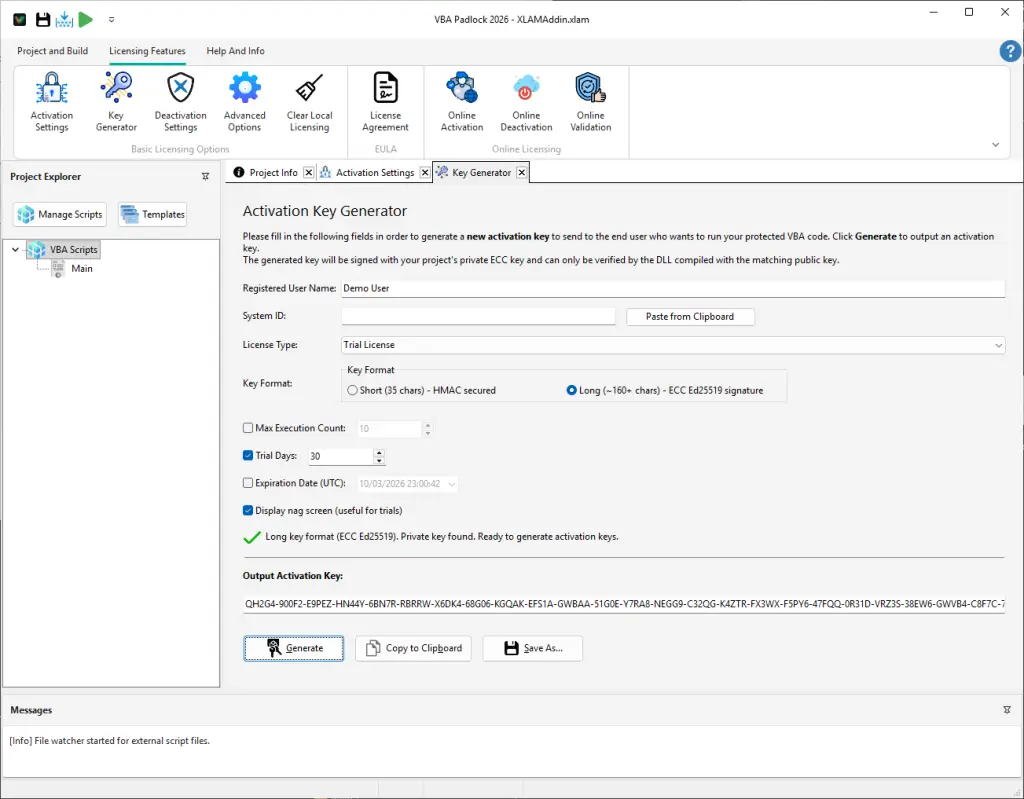
Generate license keys, enforce hardware locking, and manage activations - all from VBA Padlock Studio.
Complete Licensing System
Everything you need to monetize your VBA application - from trial modes to enterprise seat management.
Hardware-Locked Keys
License keys are tied to the user's hardware ID. Prevent unauthorized sharing - each key works only on the registered machine.
Trial Periods
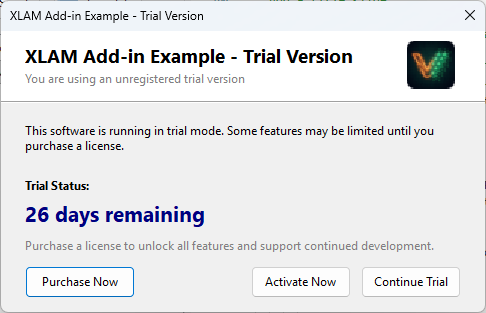
Let users try your application before purchasing. Configure trial duration, feature limitations, and nag screens - all enforced by the DLL.
Online Activation
Validate keys against your server in real time. Track activations, enforce seat limits, and revoke keys remotely if needed.
License Deactivation
Let customers transfer their license to a new machine. Deactivation frees the activation slot, and the key can be reused elsewhere.
Key Generator
Generate license keys directly from VBA Padlock Studio. Create single keys or batch-generate hundreds for resellers and distributors.
EULA Enforcement
Display a license agreement before first use. Users must accept the EULA to proceed - the acceptance is recorded and enforced by the DLL.
Trial Mode and Distribution
Let prospects try your tool, then convert them to paying customers with built-in trial nag screens and distribution packaging.
Who Sells VBA Applications?
VBA Padlock is built for developers and consultants who want to monetize their Office automation expertise.
Commercial Add-ins
Sell Excel add-ins, Word templates, or Access applications as licensed software products with trial periods and activation keys.
Consulting Deliverables
Protect proprietary tools you build for clients. Ensure they can use the tool but not copy, modify, or redistribute your macros.
Internal Enterprise Tools
Distribute VBA tools across departments without exposing sensitive business logic or allowing unauthorized modifications.
SaaS-Style Licensing
Combine online activation with periodic validation to create subscription-style licensing for your VBA applications.
Explore the Platform
Ready to Monetize Your VBA Projects?
Download VBA Padlock and start selling protected Office solutions. One-time purchase, no royalties, no subscription.