Standard (Recommended)
CPU ID + Volume Serial. The best balance for commercial software. Stable during most upgrades but unique enough to prevent piracy.
The Hardware ID Options workspace allows you to define the “DNA” of a user’s computer. By selecting specific physical components, you create a unique System ID that prevents the unauthorized sharing of license keys across different machines.
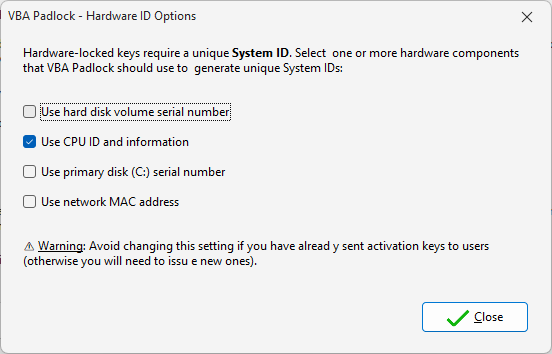
VBA Padlock Studio can sample several hardware layers to generate a resilient and unique identifier. choosing the right combination is key to balancing security with user convenience:
How much “uniqueness” does your software require?
Standard (Recommended)
CPU ID + Volume Serial. The best balance for commercial software. Stable during most upgrades but unique enough to prevent piracy.
High Security
CPU ID + Physical Disk Serial. Used for high-value enterprise tools where license sharing must be strictly eliminated at the cost of less flexibility.
Activation Settings
Enable hardware locking. View Reference →
Key Generator
Issue locked keys. View Reference →