Activation Settings
Combine EULA with activation keys. View Reference →
The License Agreement workspace (EULA) ensures that your customers are aware of and agree to your terms of service before they ever see your protected code. By embedding the agreement directly into the DLL, you create a tamper-proof legal gatekeeper for your application. Learn more in the EULA Feature guide.
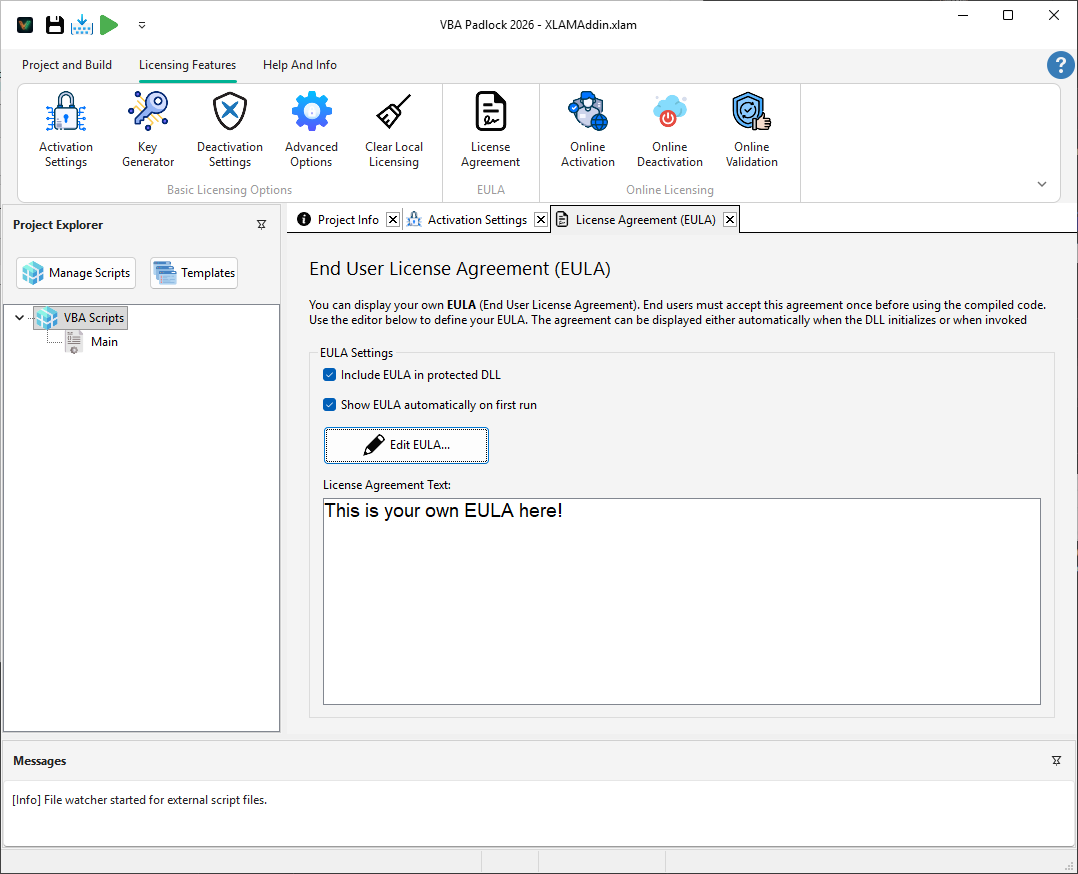
Choosing how to present your EULA is critical for both legal validity and user experience.
For developers who need more granular control, the VBA Bridge provides a suite of functions to manage the EULA state directly from your code.
' Check if the user has already accepted your termsIf VBAPL_IsEulaAccepted() = 0 Then ' Force the dialog if you've updated your EULA If VBAPL_ShowEULA() = 0 Then MsgBox "Agreement declined. Closing application." Exit Sub End IfEnd IfActivation Settings
Combine EULA with activation keys. View Reference →
VBA Bridge API
View legal API documentation. View Reference →