Distribution
Package your files for users. View Reference →
The Publish Final DLL workspace (Protect tab → Advanced group) is the finish line of your development cycle. This is where your compiled bytecode, project metadata, and security settings are fused into a professional software package.
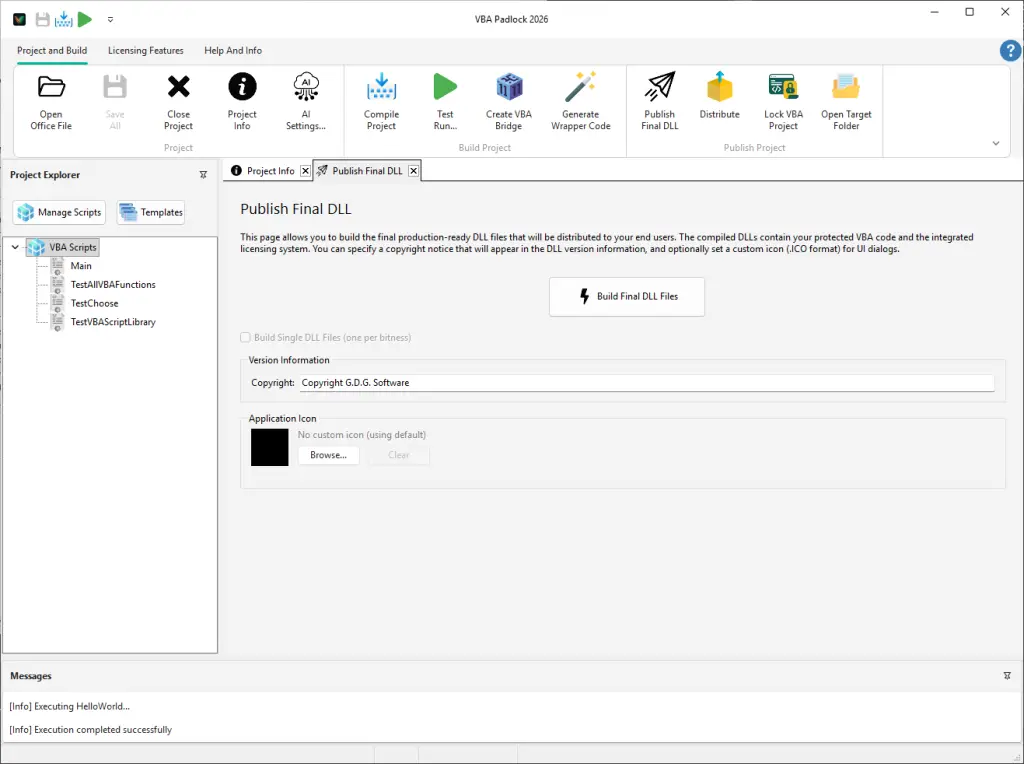
Publishing is more than just saving files; it is a high-security procedure that ensures the integrity of your application:
Make your software stand out and look like a native Windows application. Branding fields are configured in Project Info and baked in at publish time:
.ico files, set in Project Info’s Application Icon field).When you click Build Final DLL Files, VBA Padlock Studio generates a standard tripartite structure in your bin\ directory:
| Component | Responsibility |
|---|---|
| [Project]run32.dll | The 32-bit execution engine for users on older Office installations. |
| [Project]run64.dll | The high-performance 64-bit engine for modern Microsoft 365 and Office 2024 environments. |
| [Project].dll | The secure satellite containing your proprietary compiled code. |
bin\ folder relative to your Office project to see your new production-ready files.Distribution
Package your files for users. View Reference →
Create Installer
Build a custom setup program. View Reference →