Short Keys (HMAC)
35 Characters
- Pros: Easy to type, fits in standard emails.
- Best for: Simple hardware locking and expiration dates.
- Format:
XXXXX-XXXXX-XXXXX-XXXXX-XXXXX-XXXXX-XXXXX
VBA Padlock provides a modern, robust Licensing System that transforms your Excel workbooks or Access databases into commercial software. From simple product keys to complex hardware-locked subscriptions, you have total control over how users access your specialized logic.
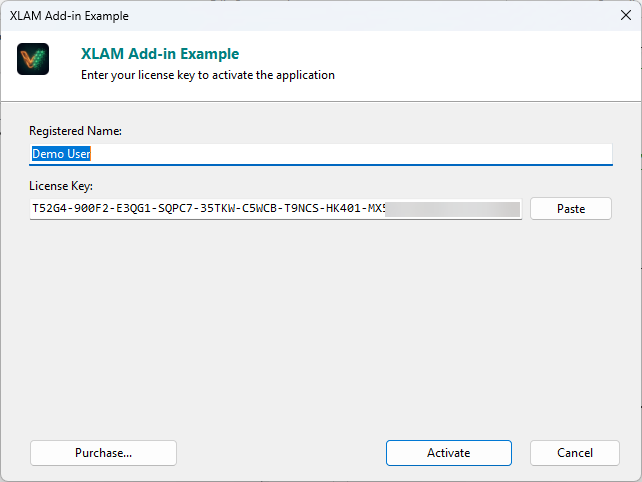
Different business models require different types of protection. Choose the one that fits your distribution strategy:
A permanent license with no restrictions. Once correctly activated, the application works indefinitely on the user’s machine.
A license that expires on a specific date. The user must enter a new renewal key periodically to continue using the software.
Allow users to test your application for a limited time before buying.
VBA Padlock supports two distinct key architectures. We recommend Long Keys for maximum cryptographic security.
Short Keys (HMAC)
35 Characters
XXXXX-XXXXX-XXXXX-XXXXX-XXXXX-XXXXX-XXXXXLong Keys (ECC Ed25519)
160+ Characters
Setting up licensing is a two-step process in VBA Padlock Studio.
Verify the license status directly within your code to protect specific macros or features.
VBA Bridge Example
' Check if the application is fully licensedIf VBAPL_IsLicenseValid() Then ' Run proprietary logicElseIf VBAPL_IsTrialMode() Then MsgBox "Trial: " & VBAPL_GetTrialLimitLeft() & " days left."Else MsgBox "Please activate your license."End IfWhere should the license be stored once the user activates it?
HKEY_CURRENT_USER.Setup Guide
Follow our step-by-step walkthrough for a full implementation. View setup guide →
Hardware Locking
Bind your license keys to specific computers to prevent sharing. Learn more →
Key Generator
Start creating license keys for your users. View UI reference →