Protect Your Excel VBA Code from Reverse Engineering
Compile Excel macros into native DLLs - your financial models, add-ins, and custom functions stay hidden inside compiled bytecode.
Why VBA Password Protection Fails for Excel
If you distribute Excel workbooks or add-ins with VBA macros, your code is at risk. The built-in VBA project password can be removed in seconds using freely available tools. Once bypassed, anyone can read, copy, or modify your macros - including financial models, pricing algorithms, and proprietary calculation logic.
Third-party "obfuscators" only rename variables and add junk code. The logic remains in plain VBA, fully readable in the Visual Basic Editor. For commercial Excel add-ins and workbooks, this offers no real protection.
The Solution: Compile Excel VBA to Native DLLs
VBA Padlock takes a fundamentally different approach. Instead of hiding VBA source code behind a breakable password, it compiles your macros into native 32-bit and 64-bit DLLs. The original VBA code is transformed into bytecode that cannot be decompiled back to the source.
The protected copy of your workbook (.xlsm) or add-in (.xlam) contains only generated wrappers and the VBA Bridge - delegating stubs with the same names and signatures that route each call into the DLL. All your intellectual property lives inside the compiled DLL, completely invisible to anyone opening the VBA Editor.
Open
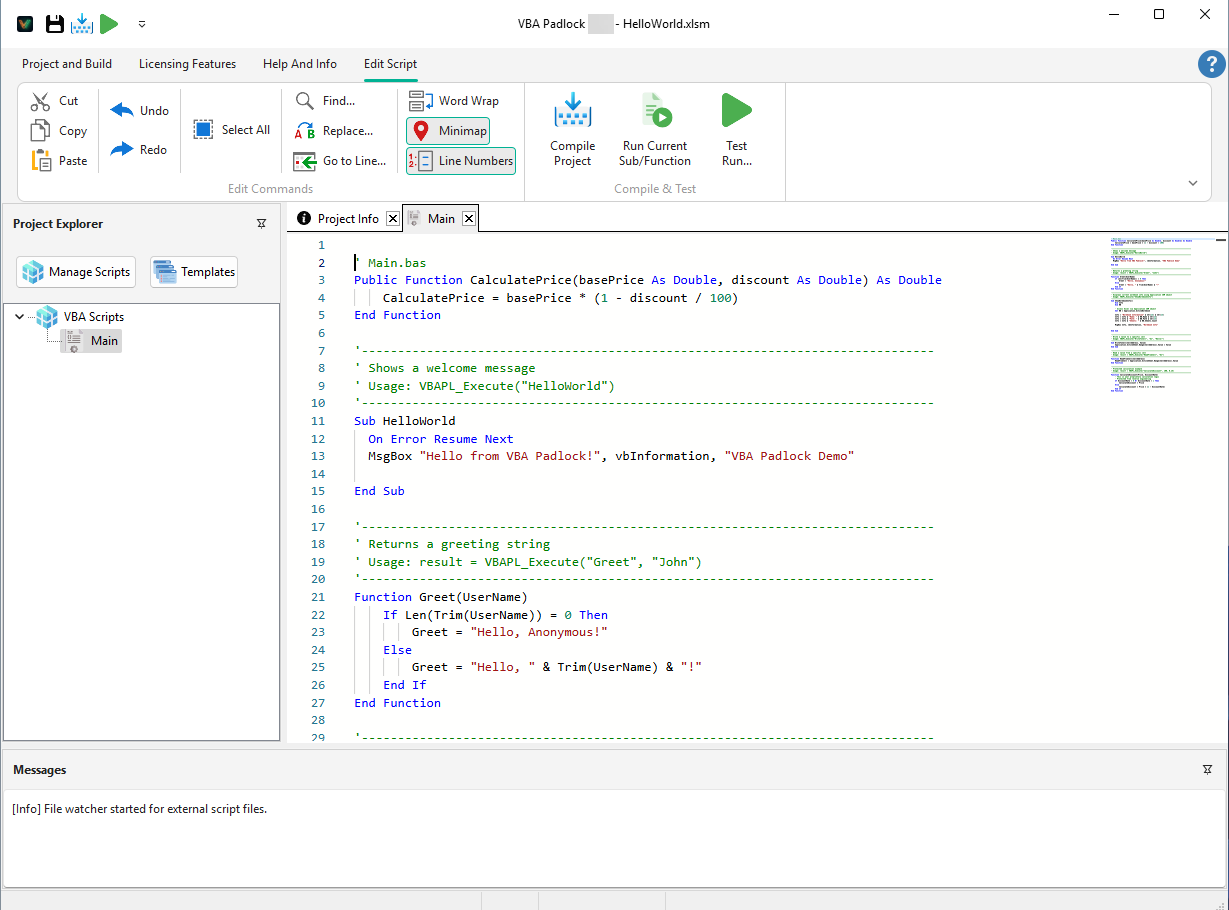
Open your existing .xlsm or .xlam in VBA Padlock. It extracts and analyzes your macros per procedure - no code to move or rewrite.
Review & Produce
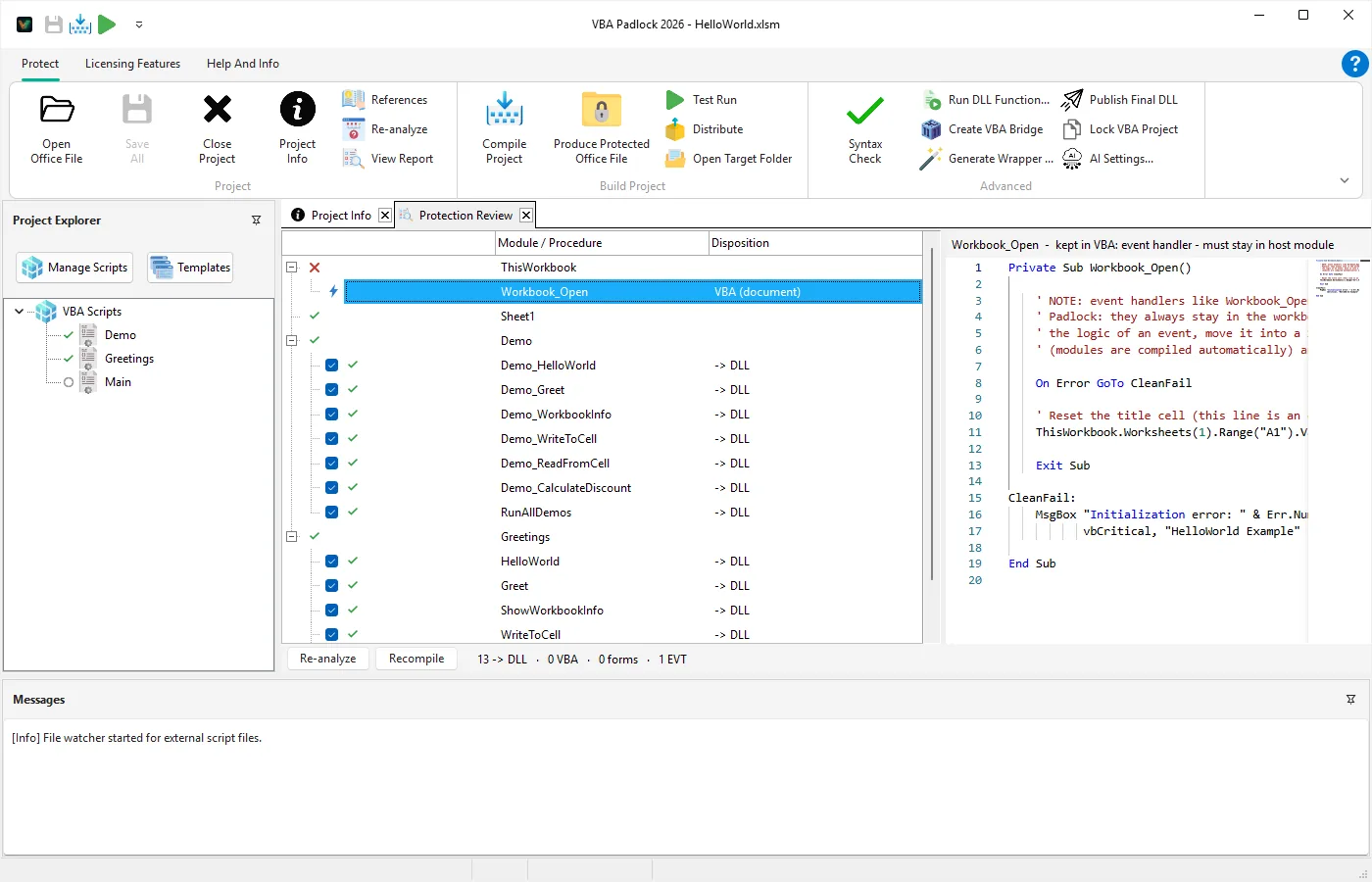
The Protection Review shows what moves into the DLL and what stays. Click Produce to compile the DLL and get a protected copy with wrappers and bridge injected.
Distribute
Ship the protected copy (MyWorkbook_protected.xlsm) with its bin/ folder. Buttons, events, and formulas keep working unchanged.
See It in Action
Left: a function the analysis moves into the compiled DLL. Right: VBA code in your workbook calling it through the bridge.
Function CalculateDiscount(Price, DiscountRate)
    If DiscountRate < 0 Or DiscountRate > 1 Then
        CalculateDiscount = Price
    Else
        CalculateDiscount = Price * (1 - DiscountRate)
    End If
End Function

Sub WriteToCell(CellAddress, Value)
    Application.ActiveSheet _
        .Range(CellAddress).Value = Value
End SubSub Demo_CalculateDiscount()
Dim Price As Double
Dim Rate As Double
Dim FinalPrice As Variant
Price = 100: Rate = 0.15
FinalPrice = VBAPL_Execute( _
"CalculateDiscount", Price, Rate)
MsgBox "Final: $" & _
Format(FinalPrice, "0.00")
End SubExcel VBA Protection in Action
Real workbook and add-in scenarios protected with VBA Padlock.
What You Can Protect in Excel
VBA Padlock supports all Excel VBA scenarios - from simple workbook macros to commercial .xlam add-ins and custom worksheet functions.
Workbook & Add-in Protection
Compile .xlsm workbooks and .xlam add-ins into secure DLLs. Distribute commercial Excel tools without exposing a single line of source code.
Financial Models
Protect proprietary calculation logic, pricing algorithms, and risk models from prying eyes.
Custom Worksheet Functions
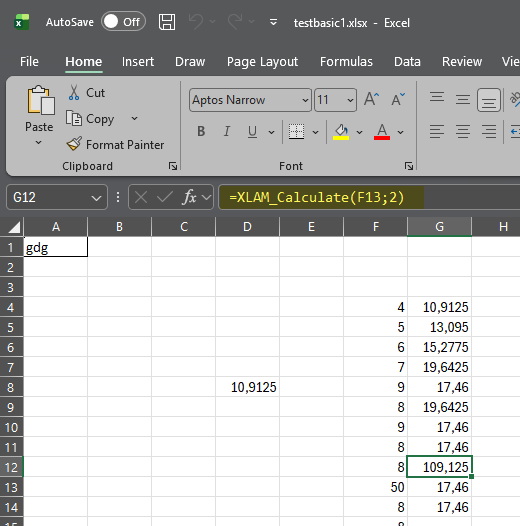
Ship proprietary UDFs without exposing the formulas or algorithms behind them. Users see the result, not the logic.
Data Automation & ETL
Secure ETL pipelines, data transformation routines, and reporting macros that process sensitive information.
Excel Add-in Distribution
Distribute commercial .xlam add-ins with full source code protection and integrated license key activation.
Licensing & Activation
Add hardware-locked license keys, trial periods, and online activation to any Excel VBA project - built into the DLL.
Need a step-by-step walkthrough?
Read the dedicated Excel tutorial
Follow the full process to protect an Excel workbook or add-in with VBA Padlock.
Watch the video tutorial
A 13-minute walkthrough of the concepts, recorded with the earlier manual workflow. Since 2026.2, the analysis, wrappers, and bridge injection happen automatically when you click Produce.
Frequently Asked Questions
Can VBA Padlock compile Excel add-ins (.xlam)?
Does my compiled code still have access to the Excel object model?
Can I ship custom worksheet functions (UDFs) from a compiled DLL?
Will end users need to install anything besides Microsoft Excel?
Can I add license key activation to my Excel VBA project?
Ready to Monetize Your VBA Projects?
Download VBA Padlock and start selling protected Office solutions. One-time purchase, no royalties, no subscription.
Related Pages
Protect document templates and mail merge
Protect Access database logic and queries
Protect presentation macros and add-ins
How the compilation pipeline works
Why you need a VBA compiler and how it works