Modern Office
.xlsm, .xlam, .docm, .dotm, .pptm, .ppam, .accdb
While your core intellectual property is safely compiled into a DLL, the “VBA Bridge” code remains inside your Office file. The Lock VBA Project tool provides a crucial layer of defense-in-depth by making the VBA Editor interface inaccessible to end-users.
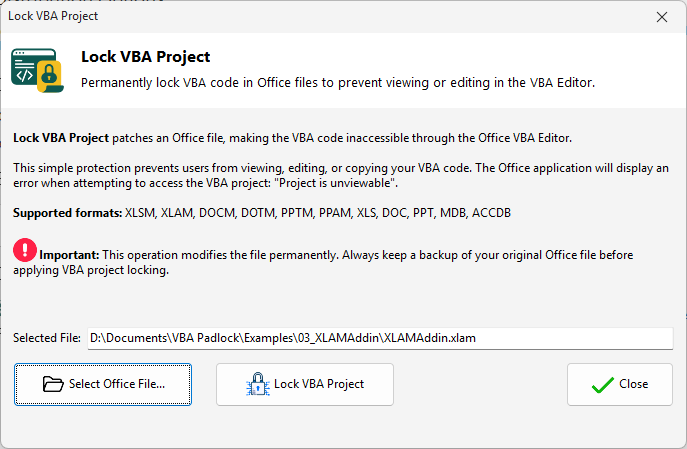
This tool is designed to stop curious users from viewing your bridge logic or trying to bypass licensing checks through the VBA Editor.
Proprietary Patching: VBA Padlock Studio applies a specialized lock to the Office document’s metadata, far more reliable than standard Excel password protection.
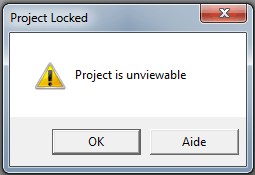
Editor Suppression: When a user tries to access the VBA Editor (Alt + F11), they will be met with an “unviewable project” message, completely blocking access to your code.
Invisible Glue: By locking the project, your “glue” code (the part that connects the workbook to the secure DLL) becomes a black box.
VBA Padlock Studio supports a wide array of legacy and modern Office formats for project locking:
Modern Office
.xlsm, .xlam, .docm, .dotm, .pptm, .ppam, .accdb
Legacy Support
.xls, .doc, .ppt, .mdb
Distribution
Automate locking during packaging. View Reference →
Security Overview
Learn about DLL-level security. View Features →