Get Basic String
' Get "activate" labelDim labellabel = L("common.activate")Expand your reach to international markets with ease. VBA Padlock features a robust JSON-based localization system that allows you to translate every runtime interaction, from activation dialogs to error messages, into any language.
Translating your application follows a straightforward logic: copy, translate, and embed.
VBA Padlock projects start with a default English file (locale_en-US.json).
locale_fr-FR.json).Connect your new locale file to your project in VBA Padlock Studio:
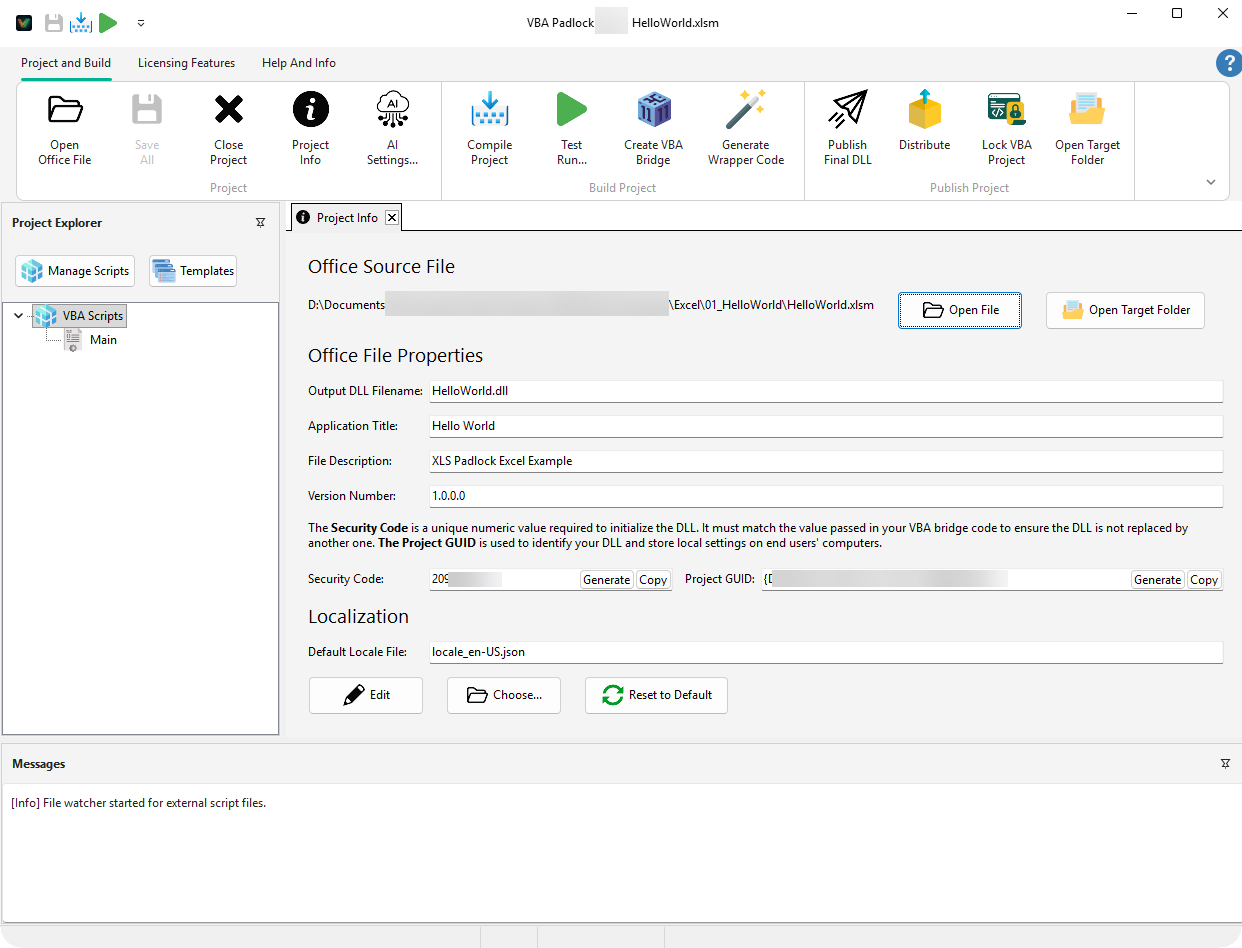
The primary language is embedded inside the DLL, so you don’t need to ship the JSON file with your workbook.
Locale files use a flat key-value structure. Here is a simplified example for a French translation:
{ "locale": "fr-FR", "strings": { "common": { "close": "Fermer", "activate": "Activer" }, "trial": { "dialogTitle": "Version d'évaluation", "dayRemaining_one": "1 jour restant", "dayRemaining_other": "%d jours restants" } }}To maintain dynamic logic, you must preserve placeholders:
%s: String placeholder (e.g., "Script: %s")%d: Number placeholder (e.g., "%d days")_one / _other: Suffixes used for automatic pluralization based on a count.Inside your compiled scripts, you can access the localization engine directly to display custom messages in the user’s language.
Get Basic String
' Get "activate" labelDim labellabel = L("common.activate")Formatted String
' "14 days remaining"Dim msgmsg = LFmt("trial.dayRemaining", 14)Plural Forms
' Handles _one/_other automaticallyDim msgmsg = LPlural("trial.dayRemaining", count)Runtime Loading
' Switch language on the flyLoadLocale(jsonContent)LoadLocale in your VBA code if you want to support users switching languages dynamically.EULA
Localize your License Agreement dialog. View EULA details →
Trial Mode
Translate trial status and countdown messages. View Trial Mode →
UI Reference
Explore the Project Info dialog where locales are set. View reference →