Hardware-Locked Licensing
Bind licenses to specific machines using unique Hardware IDs.
Overview
Bind licenses to specific computers using unique hardware identifiers. Prevent unauthorized sharing of your activation keys by ensuring each license is tied to the machine it was activated on.
Key Benefits
- Unique Hardware ID based on system components
- Hardware-locked activation keys that cannot be shared
- Portable mode with .LIC file for USB environments
- Configurable hardware ID components
- Deactivation support to move licenses between machines
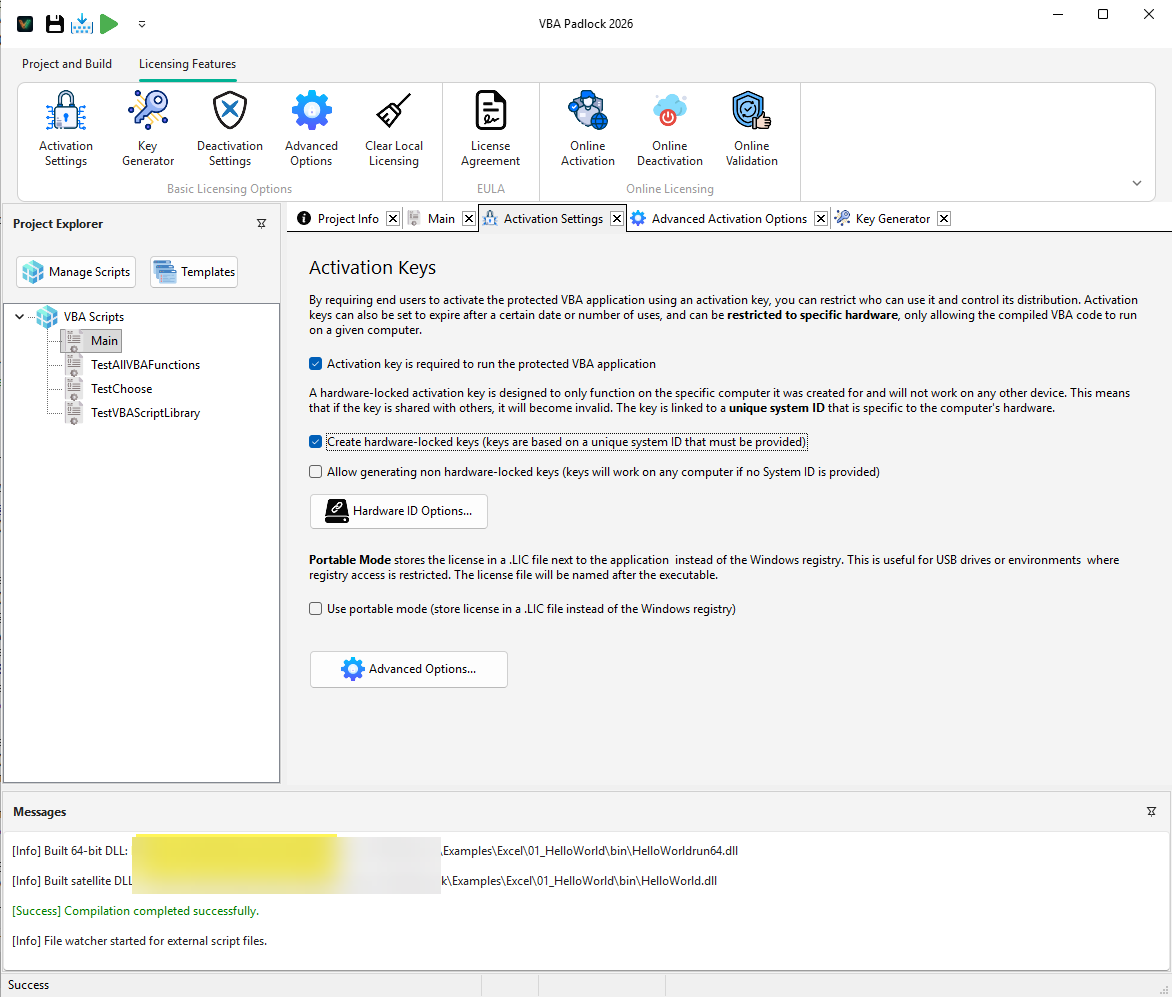
How Hardware-Locked Licensing Works
Hardware locking ties each activation key to one physical environment. This prevents key sharing while keeping a clear transfer path for legitimate users.
Collect selected hardware signals (CPU, disk, volume, etc.)
Generate a non-reversible machine fingerprint (Hardware ID)
Create a key cryptographically tied to that Hardware ID
Validate fingerprint match at every launch
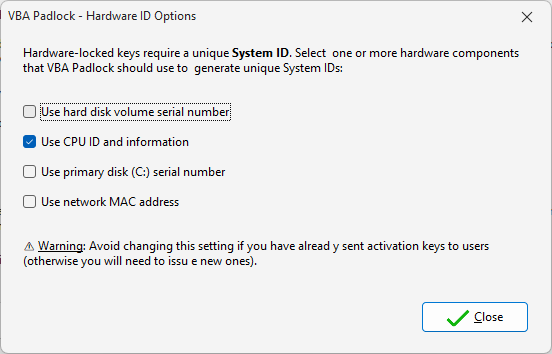
Choose a Stable Fingerprint Strategy
Your hardware formula defines the balance between anti-sharing security and end-user tolerance to upgrades. Pick once, then keep it stable across releases.
CPU ID
Very stableExcellent default anchor for long-term consistency.
Volume Serial
StableGood tradeoff between resilience and uniqueness.
Physical Disk Serial
High securityStricter locking for high-value enterprise deployments.
MAC Address
VariableCan change due to adapters/VPN; use with caution.
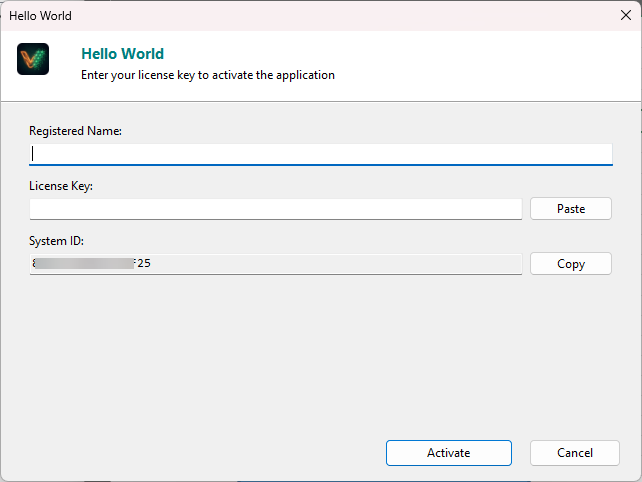
Collecting the User Hardware ID
You can retrieve machine IDs manually (dialog), through VBA helper functions, or fully automated via online activation.
Public Sub ShowHardwareID()
    Dim hwid As String
    hwid = VBAPL_GetHardwareID()
    MsgBox "Your System ID is: " & hwid
End Sub
Tip: add this action to a support menu so users can quickly send their ID to your sales/support team.
License Transfer Without Losing Control
Online deactivation
Best UX: user releases the license slot from within the app and reactivates on a new machine immediately.
Manual certificate
Offline-safe flow: user sends a deactivation certificate that you verify before issuing a replacement key.
Ready to Monetize Your VBA Projects?
Download VBA Padlock and start selling protected Office solutions. One-time purchase, no royalties, no subscription.