Check Frequency
Choose from Every Startup, Daily, or Weekly checks. For lower-security needs, utilize the Random setting to vary the check timing.
The Online Validation workspace ensures that your software remains in sync with your business logic long after the initial activation. By establishing a periodic “heartbeat” with the VBA Padlock Activation Kit installed on your web hosting, you can remotely revoke access, enforce subscription renewals, and neutralize leaked keys without redeploying your code.
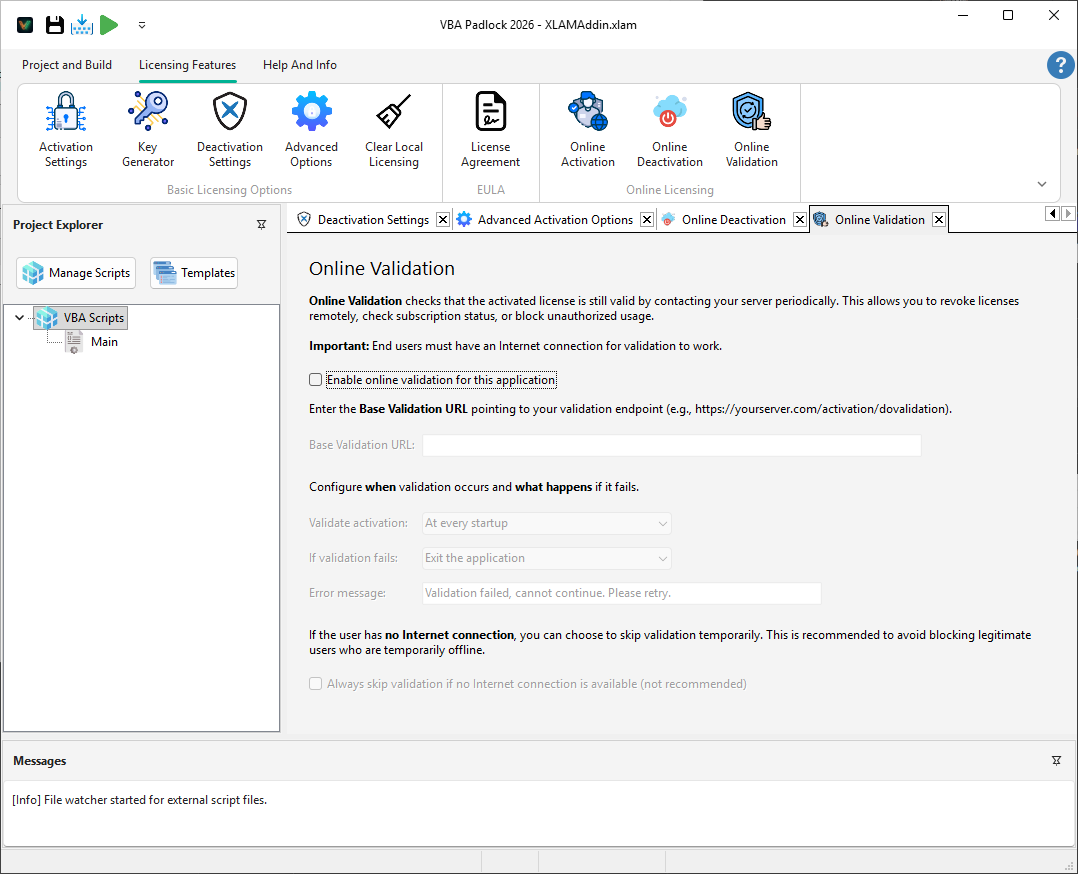
Online validation transforms a static license into a dynamic, server-managed asset. This is the cornerstone of any modern SaaS or subscription-based software model:
Balance user convenience with security by defining how often the “heartbeat” occurs:
Check Frequency
Choose from Every Startup, Daily, or Weekly checks. For lower-security needs, utilize the Random setting to vary the check timing.
Enforcement Mode
Define the consequence of failure. Choose Block Execution for strict enforcement or Show Warning for a “soft-nag” approach.
VBAPL_IsLicenseValid()When Validate activation at every startup is enabled in this dialog, calling VBAPL_IsLicenseValid() in your VBA code automatically triggers an online validation check against your server (no additional code required). The DLL contacts the server, verifies the license status, and returns the result, all transparently behind a single function call.
This means your standard startup code already handles online validation:
Private Sub Workbook_Open()
   On Error GoTo CleanFail
   ' Reset first cell   Dim ws As Worksheet   Set ws = ThisWorkbook.Worksheets(1)
   ws.Range("A1").Value = "Hello World Excel Example"

   If VBAPL_IsLicenseValid() Then       ws.Range("B2").Value = "Licensed To"       ws.Range("B3").Value = VBAPL_GetRegisteredName()       ws.Shapes("Button 1").TextFrame.Characters.Text = "Deactivate"   ElseIf VBAPL_IsTrialMode() Then       ws.Range("B2").Value = "Trial, please purchase"       ws.Range("B3").Value = ""       ws.Shapes("Button 1").TextFrame.Characters.Text = "Activate..."   Else       ' Deactivated or no valid license       ws.Range("B2").Value = "No valid license"       ws.Range("B3").Value = ""       ws.Shapes("Button 1").TextFrame.Characters.Text = "Activate..."   End If
   Exit Sub
CleanFail:    MsgBox "Initialization Error in Compiled Code: " & Err.Number & " - " & Err.Description, vbCritical, "Runtime Error"
End SubFor finer control, you can also trigger an explicit validation check at specific points in your logic (for example, before starting a high-value export or data processing task):
' Force a validation check before starting a high-value processIf VBAPL_IsValidationRequired() <> 0 Then If VBAPL_ValidateOnline(1) = 0 Then MsgBox "Your subscription has expired. Please renew to continue." Exit Sub End IfEnd If/dovalidation endpoint is active and connected to your license database.Online Activation
The initial server handshake. View Reference →
Script Functions
View API for manual validation. View Reference →