Protect Your Access VBA Code from Reverse Engineering
Compile Access database macros into native DLLs - your business logic, SQL routines, and data export tools stay hidden inside compiled bytecode.
Why VBA Password Protection Fails for Access
Access databases with VBA modules face a unique risk: the .accdb file contains both data and code in a single package. The built-in VBA project password can be removed in seconds using freely available tools, exposing your business logic, SQL queries, validation rules, and data processing algorithms.
Even converting to .accde/.mde format offers limited protection - the VBA code is compiled to p-code but remains recoverable with specialized decompilers. For commercial Access applications and database tools, this is not acceptable.
The Solution: Compile Access VBA to Native DLLs
VBA Padlock goes beyond .accde protection. It compiles your VBA modules into native 32-bit and 64-bit DLLs, replacing readable source code with protected bytecode. The
compiled DLL has full access to
Application.CurrentDb, DoCmd, and the entire DAO engine - your code works identically,
but cannot be decompiled.
Your Access database (.accdb) keeps its forms, reports, queries, and tables intact. VBA Padlock analyzes the database copy-first - the original is never opened for writing - and saves a protected copy containing generated wrappers with the same names and signatures, plus the VBA bridge that loads the DLL. Users open the database and work normally - they never see your protected code.
Open
Open your existing .accdb in VBA Padlock. It extracts and analyzes your macros procedure by procedure, working on a copy - the original is never opened for writing.
Review & Produce
The Protection Review shows what moves into the DLL and what stays. Click Produce to compile the DLLs and save a protected copy with generated wrappers and the VBA bridge.
Distribute
Ship the protected copy (MyDatabase_protected.accdb) with the bin/ folder. Users open the database normally - the DLL handles everything.
See It in Action
Left: a function that now runs from the compiled DLL. Right: VBA in the protected database calling it through the bridge.
Function ExportToCSV(TableName, FilePath, Delimiter)
    Dim DB, RS, Stream, FieldCount, i
    Set DB = Application.CurrentDb
    Set RS = DB.OpenRecordset(TableName)

    Set Stream = CreateObject("ADODB.Stream")
    Stream.Type = 2
    Stream.Charset = "UTF-8"
    Stream.Open

    ' Write header row
    For i = 0 To RS.Fields.Count - 1
        If i > 0 Then Stream.WriteText Delimiter
        Stream.WriteText RS.Fields(i).Name
    Next i
    Stream.WriteText vbCrLf

    ' Write data rows
    Do While Not RS.EOF
        For i = 0 To RS.Fields.Count - 1
            If i > 0 Then Stream.WriteText Delimiter
            Stream.WriteText Nz(RS.Fields(i).Value, "")
        Next i
        Stream.WriteText vbCrLf
        RS.MoveNext
    Loop

    Stream.SaveToFile FilePath, 2
    Stream.Close: RS.Close
    ExportToCSV = True
End FunctionSub ExportCustomers()
Dim FilePath As String
Dim Success As Variant
FilePath = CurrentProject.Path _
& "\Customers.csv"
Success = VBAPL_Execute( _
"ExportToCSV", _
"Customers", FilePath, ";")
If Success Then
MsgBox "Export complete!", _
vbInformation
End If
End SubAccess VBA Protection in Action
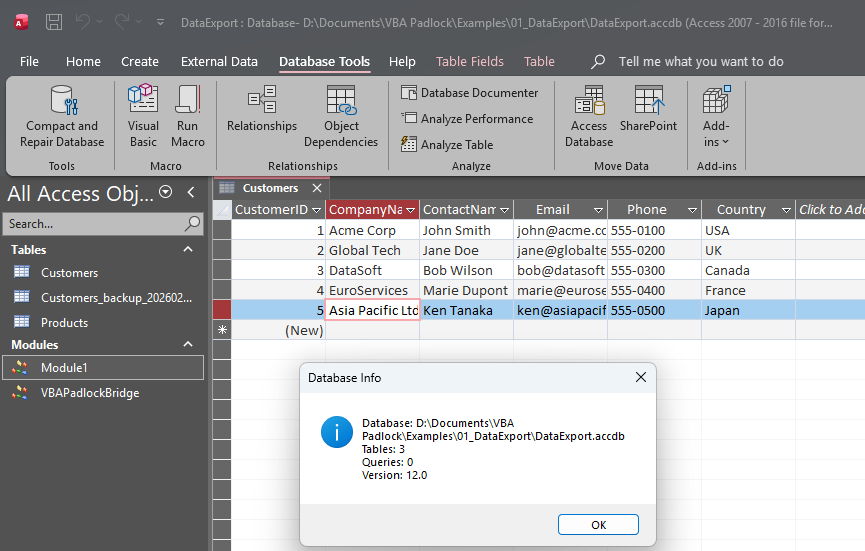
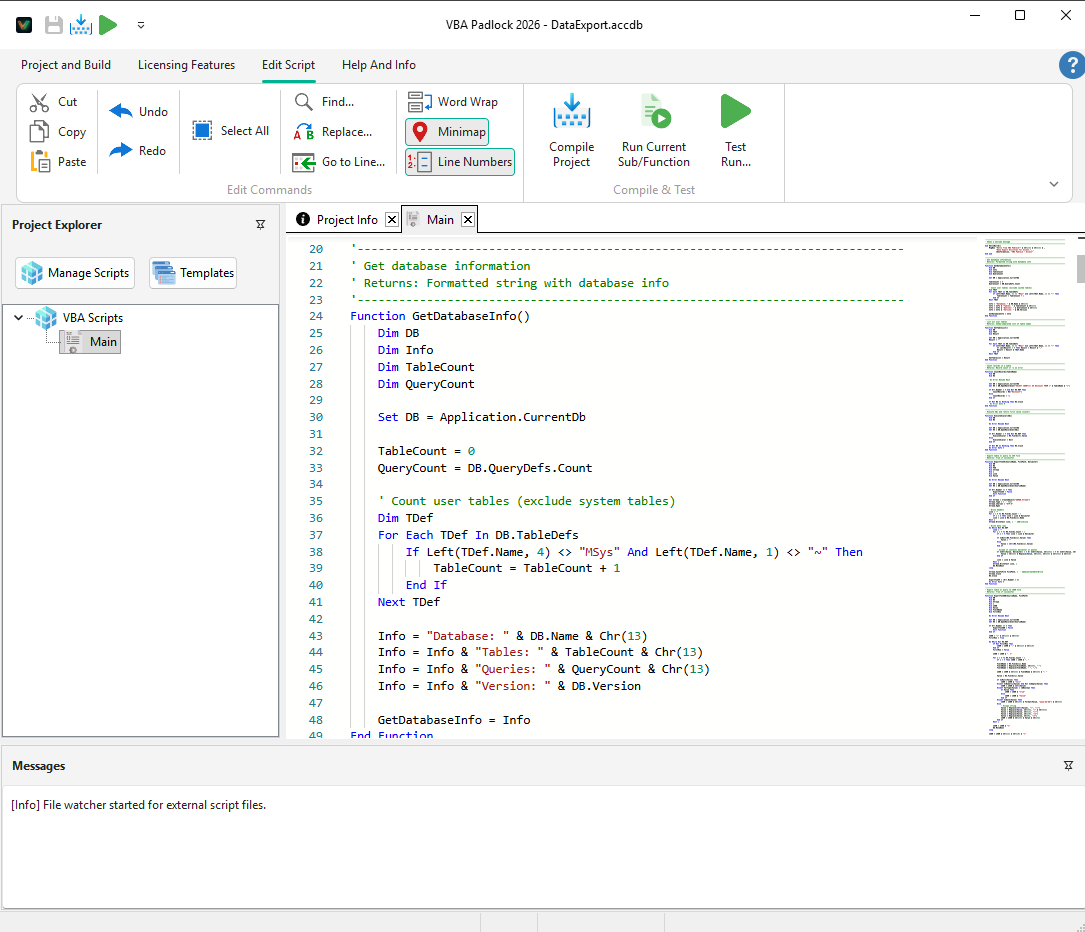
Real examples from Access projects protected with VBA Padlock.
What You Can Protect in Access
VBA Padlock supports all Access VBA scenarios - from database utilities to complete commercial Access applications.
Database Business Logic
Protect proprietary validation rules, calculation engines, and workflow automation that power your Access applications.
Data Export Tools
Secure CSV, JSON, and XML export routines that process sensitive database records with custom formatting.
SQL Query Engines
Hide advanced query builders, dynamic SQL generators, and reporting logic inside compiled DLLs.
Form Automation
Forms and reports keep working unchanged. Event handlers stay in the database and call your protected code through generated wrappers.
Access Application Distribution
Distribute complete Access applications with protected business logic. End users run the .accdb file normally.
Licensing & Activation
Add hardware-locked license keys, trial periods, and online activation to any Access VBA project - built into the DLL.
Access-Specific Notes
-
Use
Application.CurrentDb(not justCurrentDb) inside compiled scripts. - The Access database must be in a writable location for license storage.
- Filter out system tables (MSys* prefix) when iterating TableDefs.
Need a step-by-step walkthrough?
Read the dedicated Access tutorial
Follow the full process to protect an Access database with VBA Padlock.
Watch the video tutorial
A 13-minute walkthrough of the concepts using the earlier manual workflow. Since 2026.2, the analysis, wrappers, and bridge injection happen automatically when you click Produce.
Frequently Asked Questions
Can VBA Padlock compile VBA code from an Access .accdb database?
Does compiled code have access to Application.CurrentDb?
How do I protect Access forms that call VBA functions?
Can I distribute a protected Access application to end users?
Does VBA Padlock protect my SQL queries inside the Access file?
Ready to Monetize Your VBA Projects?
Download VBA Padlock and start selling protected Office solutions. One-time purchase, no royalties, no subscription.
Related Pages
Protect Excel workbooks, add-ins, and UDFs
Protect document templates and mail merge
Protect presentation macros and add-ins
How the compilation pipeline works
Why you need a VBA compiler and how it works