Direct Revocation
The preferred method. If an internet connection is found, the license is revoked and the server is updated in one smooth step.
The Online Deactivation workspace closes the loop on automated license management. Instead of manually verifying Deactivation Certificates, your server automatically records the revocation and frees the license slot, allowing the user to reactivate on a new machine immediately.
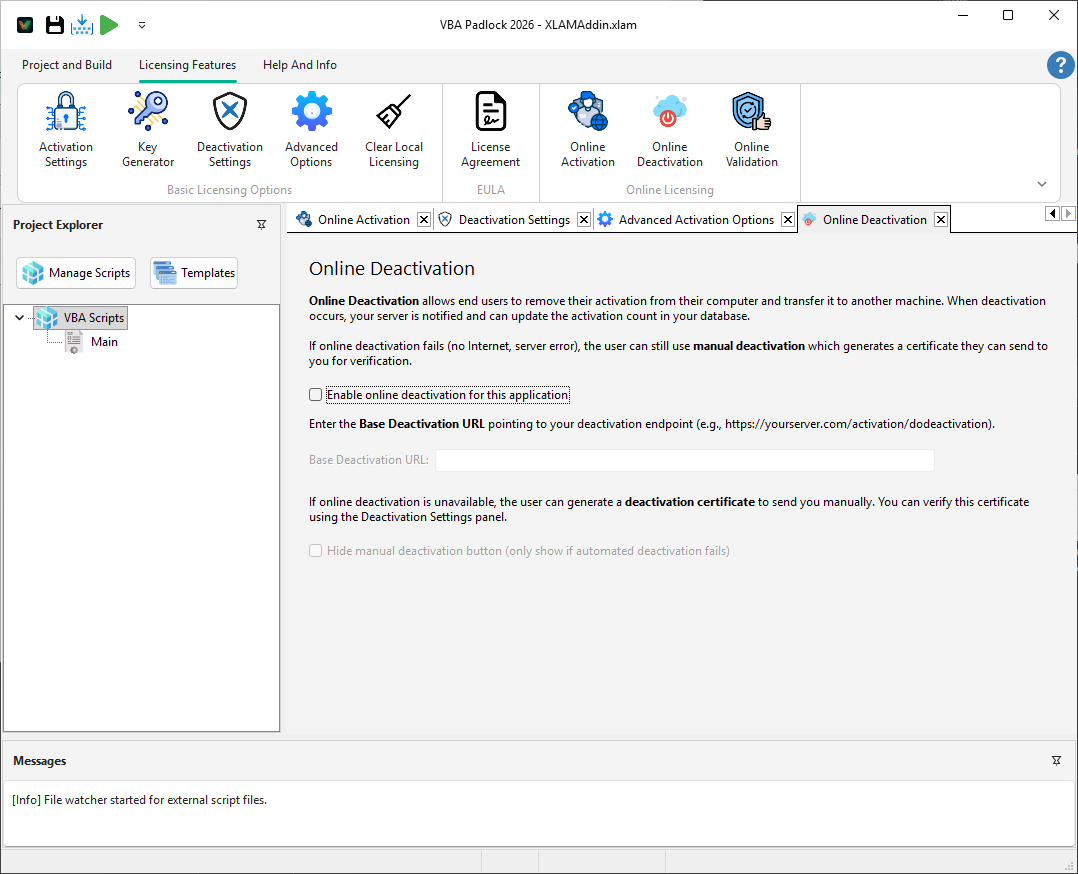
Online deactivation transforms a manual, two-way support ticket into a single-click customer experience. When a user deactivates their software:
Here is what your end-users see when they trigger an online deactivation from your application:
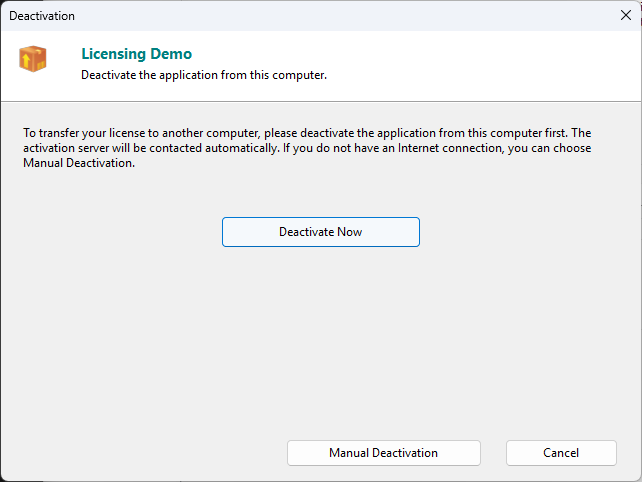
Not every machine is online 24/7. VBA Padlock Studio includes intelligent logic to ensure deactivation is never “stuck”:
Direct Revocation
The preferred method. If an internet connection is found, the license is revoked and the server is updated in one smooth step.
Certificate Fallback
If the server is unreachable, the system can automatically fall back to generating a Manual Certificate for offline verification.
/dodeactivation endpoint is active and connected to your database.Online Activation
The other half of the server loop. View Reference →
Online Validation
Keep licenses in sync. View Reference →