Subscription Renewal
Generate a new key with a later Expiration Date. When the user enters the new key, it replaces the old one and extends their access.
Once you have published your protected application, the final step is to issue licenses to your customers. Whether you are fulfilling orders manually or automating the process through an e-commerce platform, VBA Padlock provides tools to generate secure, tamper-proof keys.
Time needed: 10-15 minutes
VBA Padlock supports two formats. Choosing the right one depends on your distribution method and security needs.
| Feature | Compact (Short) | Full (Long) |
|---|---|---|
| Typical Length | ~35 chars (e.g., A1B2-C3D4...) | ~120+ chars (Base64) |
| Technology | HMAC-SHA256 | Ed25519 Elliptic Curve |
| Best for | Manual typing (phone, paper) | Digital delivery (Email, Clipboard) |
| Security | High | Very High (Digital Signature) |
| Max Runs Support | No | Yes |
If you fulfill orders manually or are testing your licensing, the built-in generator in VBA Padlock Studio is the easiest path.
If you have enabled Hardware Locking, you must first obtain the unique “System ID” from your user’s computer.
Ask the user to open your application.
The activation dialog will display their unique System ID.
The user copies this ID and sends it to you via email or your order form.
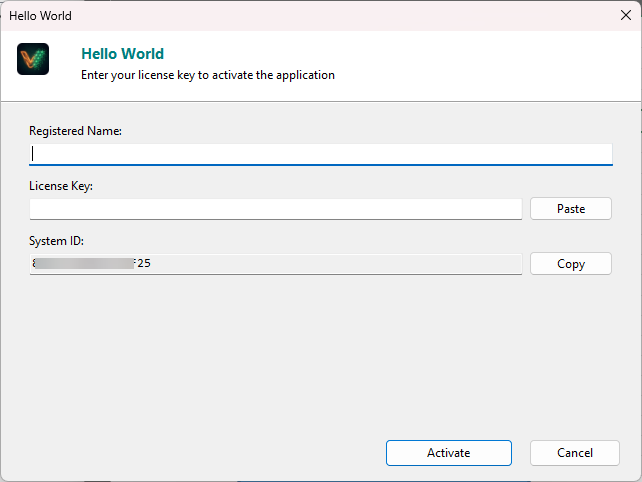
Open your project and go to Licensing Features → Key Generator.
Enter the Registered Name (e.g., Jane Doe).
Paste the System ID provided by the user.
Choose the License Type and set any limits (Trial Days, Expiration Date).
Click Generate.
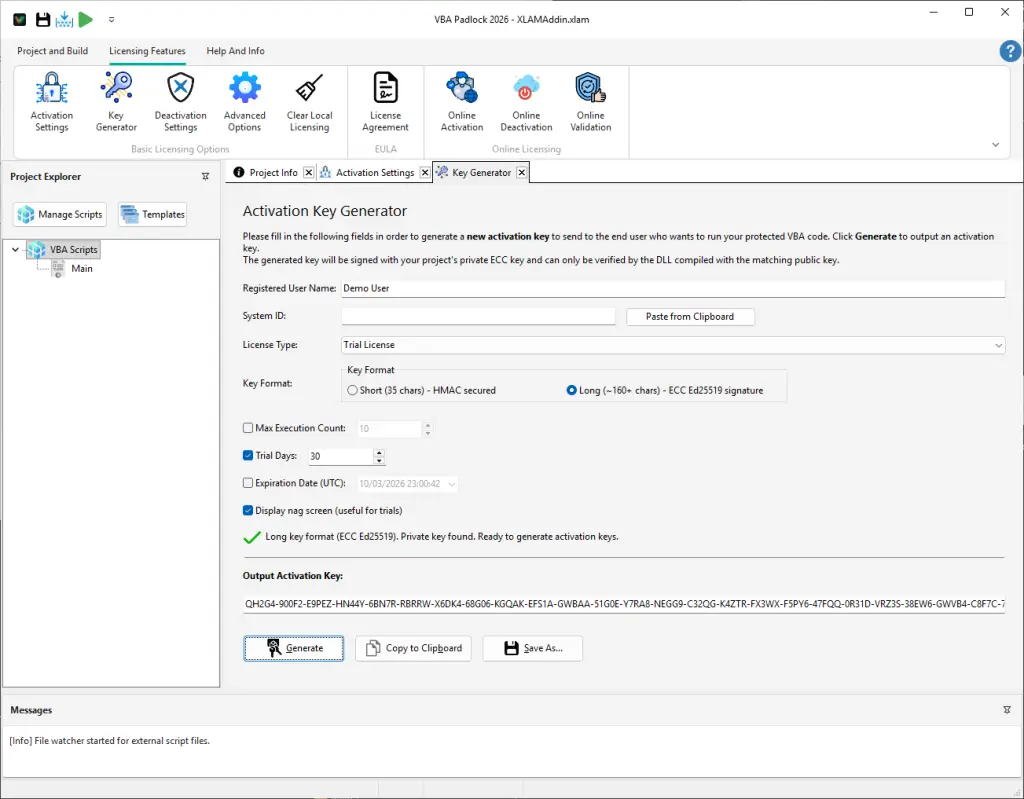
Copy the generated key and send it to your user. They will enter it into the activation dialog to unlock the software.
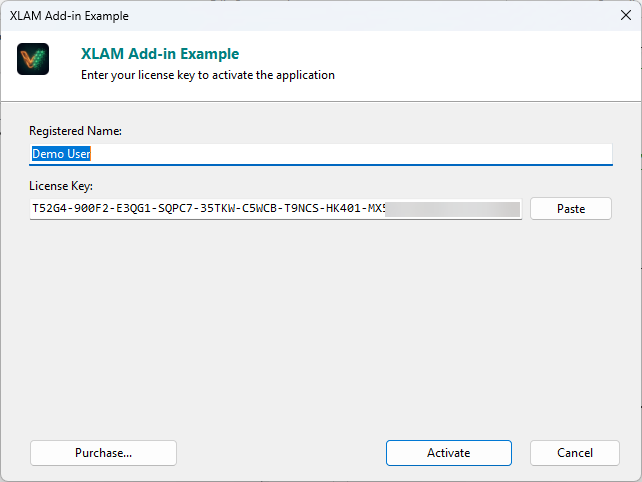
For e-commerce automation (WooCommerce, Shopify, Stripe), you can generate keys programmatically using our PHP Key Generator SDK.
require_once('VBAPadlockKeygenAPI.php');
$vbp = new VBAPadlockKeygenAPI('vbp-YOUR-USER-ID');$vbp->setApplicationMasterKey('{YOUR-PROJECT-GUID}');
// Optional: Binding to name and hardware$vbp->setLicenseeName('Customer Name')    ->setHardwareSystemID('ABCDE-12345')    ->setMaxDays(365); // 1-year subscription
try { $licenseKey = $vbp->getActivationKey(); echo "Your key: " . $licenseKey;} catch (Exception $e) { echo "Error: " . $e->getMessage();}To use the more secure Full format, you must provide your project’s ECC keys. Export these from Advanced Activation Options in VBA Padlock Studio.
$vbp->setFormat('full');$vbp->setECCKeys($privateKeyHex, $publicKeyHex);$vbp->setMaxRuns(50); // Limit to 50 executions| Method | Description |
|---|---|
setApplicationMasterKey($key) | Required. Sets the Master Key from your project settings. |
setHardwareSystemID($id) | Ties the key to a specific computer’s Hardware ID. |
setMaxDays($days) | Sets the number of days the license is valid from today. |
setExpireDate($date) | Sets an absolute expiration date (YYYY/MM/DD). |
setMaxRuns($runs) | Sets the maximum number of executions (Full format only). |
setLicenseeName($name) | Binds the key to a specific user or company name. |
| Error | Cause & Resolution |
|---|---|
Invalid developer ID | The User ID provided in the constructor is incorrect. |
Missing Master Key | You forgot to call setApplicationMasterKey(). |
Daily request limit | You’ve exceeded the generation limit for your account tier. |
CURL Error | A network issue prevented connection to the keygen API. |
Subscription Renewal
Generate a new key with a later Expiration Date. When the user enters the new key, it replaces the old one and extends their access.
Beta Testing
Issue a Time-Limited key with an absolute expiration date (e.g., 2026/12/31). All beta keys will stop working at the same time.
License Transfer
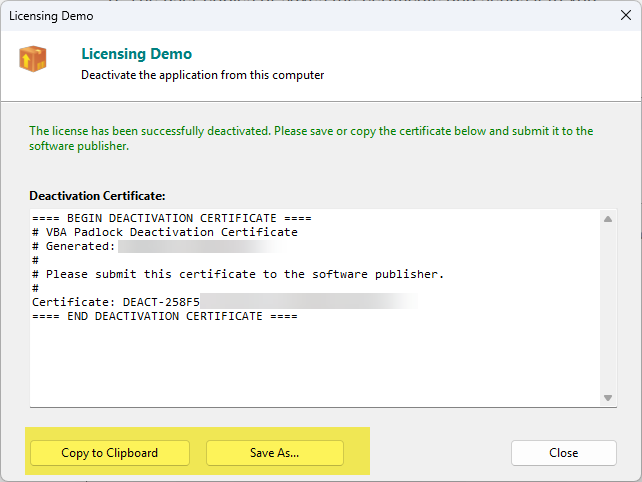
If a user replaces their PC, collect their Deactivation Certificate as proof of removal before issuing a new key.
Enterprise Bulk
Use the PHP SDK to generate dozens of keys in a loop for an enterprise client, mapping them to a list of provided System IDs.
Deactivation
Learn how to let users return or transfer licenses. Read the guide →
Online Activation
Automate the entire process with an activation server. Read the guide →
Localization
Translate the activation dialogs for international users. Read the guide →
Key Generator UI
Detailed reference for the Key Generator dialog. View Reference →
API Reference
Check the status of a license from your VBA code. View API →