Protection Review
The full verdict tree behind the editor markers. View Reference →
The Code Editor is where you inspect and refine the VBA that will be compiled into your protected DLL. In the automatic workflow, most of its content arrives by itself (extracted from your Office file during analysis), but every module remains fully editable, and hand-written modules are first-class citizens too.
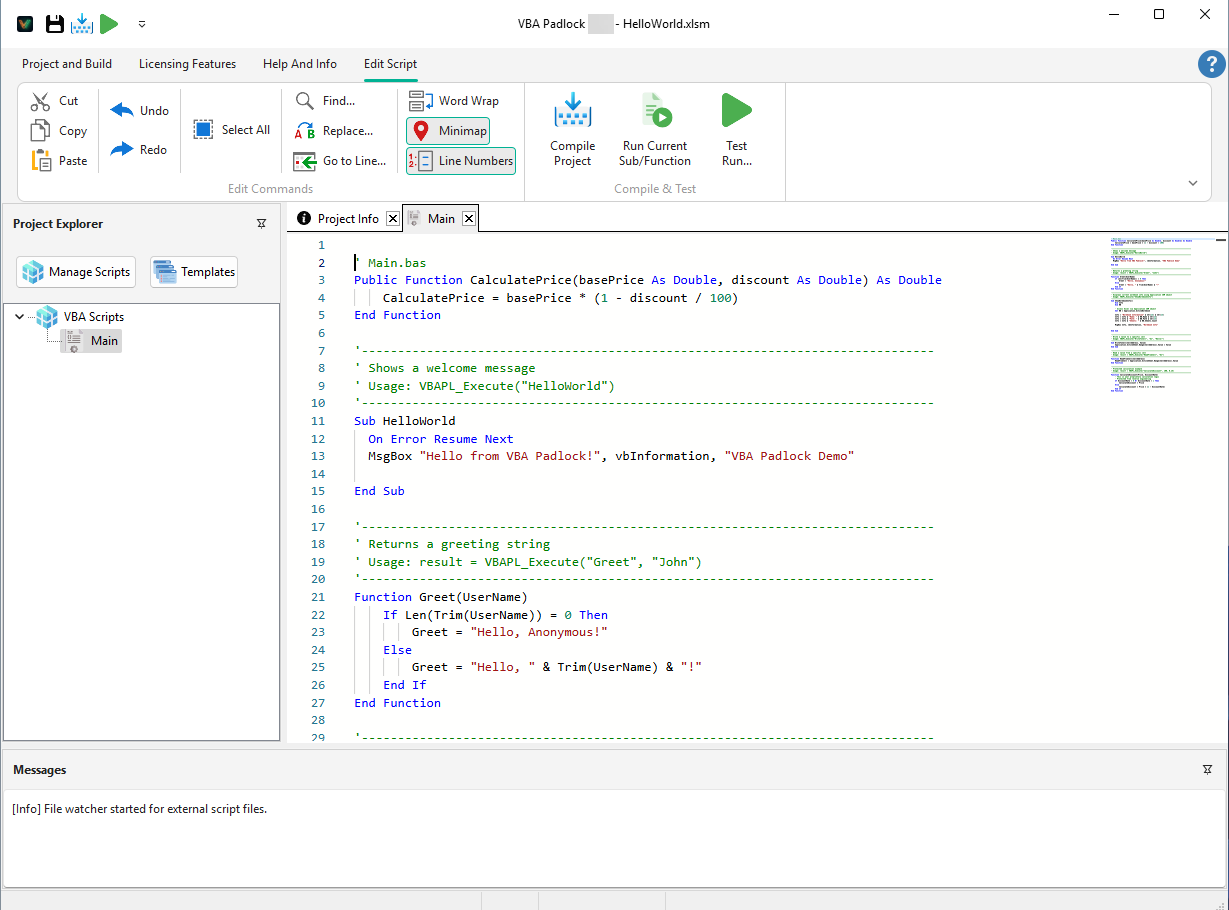
The editor shows the compile gate’s decisions inline: per-procedure gutter and line badges indicate what moves to the DLL and what stays in VBA: the same verdicts as the Protection Review, visible while you type. Fix a blocker (say, add Option Explicit or restructure a shared variable), re-analyze, and watch the badge flip.
&HFF), and $-suffixed functions are color-coded for maximum readability.DateAdd, Trim, IIf, etc.), constants from your selected References, and project-specific symbols.Your project stores standard modules (.bas) and class modules (.cls), managed from the Project Explorer’s Manage Scripts menu:
.bas/.cls files with the VBA editor or version control..bak backup is kept either way.| Shortcut | Action |
|---|---|
| Ctrl + S | Save All: Save all open modules to the project folder. |
| Ctrl + F / H | Find / Replace: Standard search tools within the active module. |
| Ctrl + Z / Y | Undo / Redo: Standard history operations. |
| Shift + F8 | Run Current Sub/Function: Execute the routine under the cursor. |
| F5 | Compile Project: Rebuild the satellite DLLs. |
| Ctrl + Space | IntelliSense: Force the code completion window to appear. |
The contextual Edit Script ribbon tab also offers a Compile & Test group: Syntax Check, Compile Project, Run Current Sub/Function, and Run DLL Function.
Protection Review
The full verdict tree behind the editor markers. View Reference →
Script Functions
View the full API reference. Browse Reference →
VBA Compatibility
What’s supported in the DLL? View Compatibility →
Script Libraries
Office constants & utilities. Browse Libraries →