Activation Endpoint
The URL of your hosted PHP script. This acts as the secure gatekeeper for all license requests.
The Online Activation workspace is where you transform your software into a scalable commercial product. Instead of manually generating keys for every customer, your DLL communicates directly with the VBA Padlock Activation Kit, a PHP server you install on your web hosting, to validate credentials and unlock itself in seconds. Learn more in the Online Activation Feature guide.
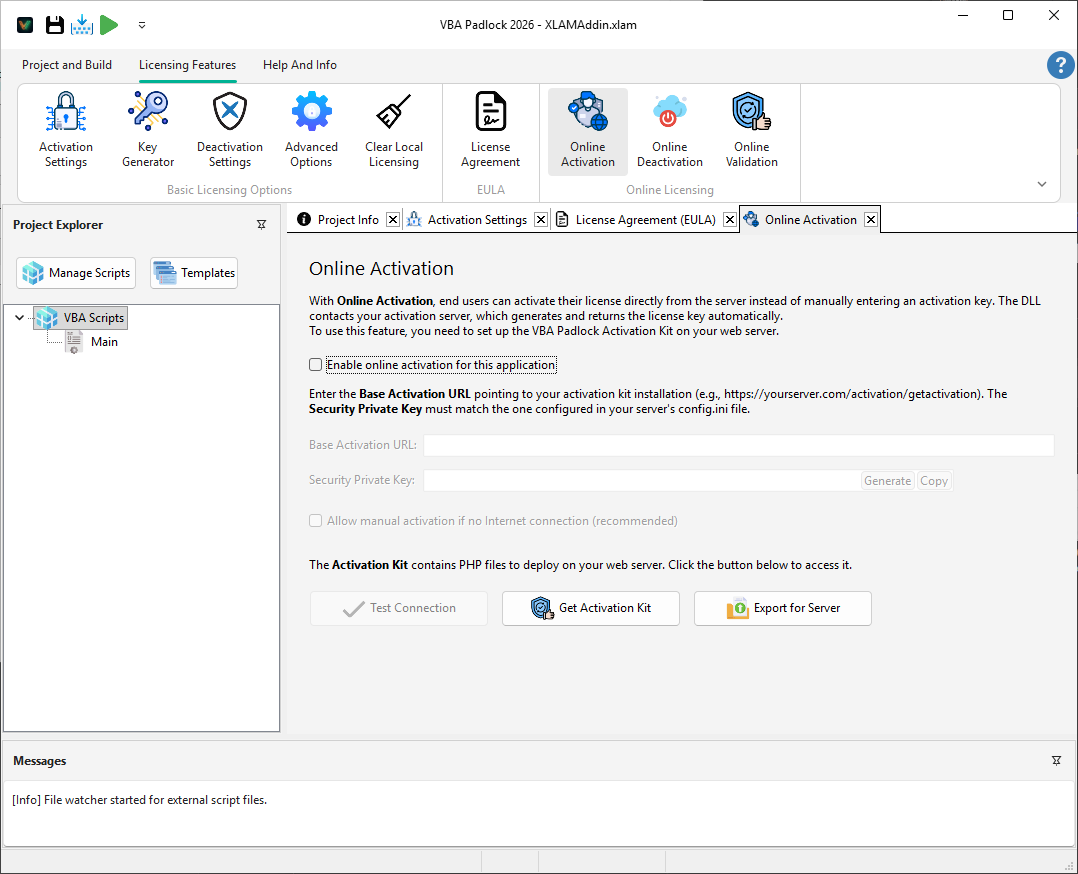
Online activation removes the friction from your sales process. When a user buys your software, they can activate it immediately, regardless of your time zone:
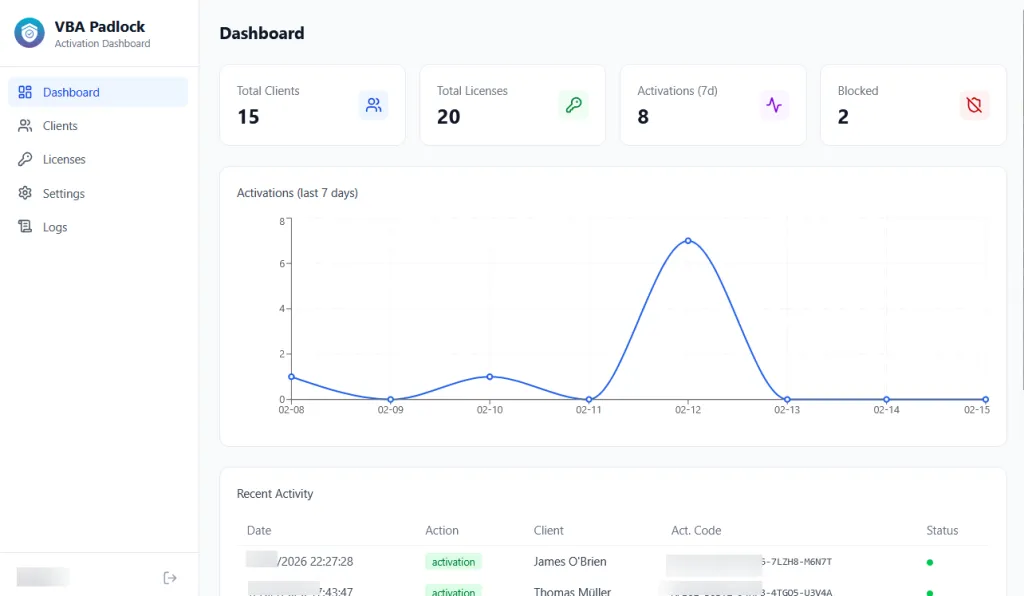
The activation codes are managed from the Activation Kit Dashboard on your server. Each license entry contains an Activation Code that you provide to your customer after purchase (e.g., via email or your e-commerce confirmation page):
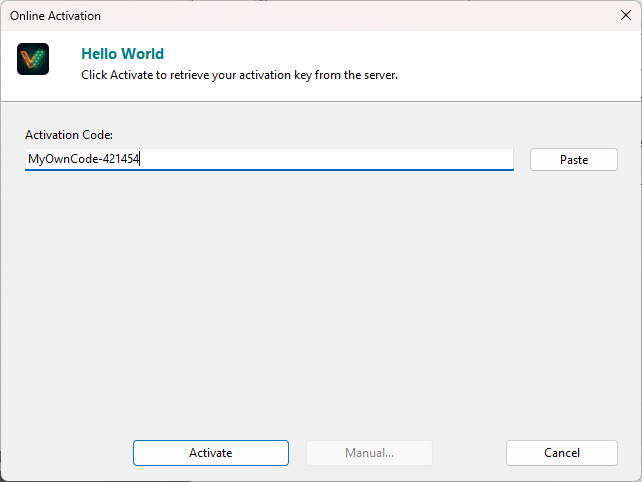
Your end-user then enters this activation code in the online activation dialog that appears in your application:
The trust between your software and your server is anchored by a shared secret and a robust endpoint configuration.
Activation Endpoint
The URL of your hosted PHP script. This acts as the secure gatekeeper for all license requests.
Security Private Key
A unique shared secret used to sign and verify every message between the DLL and your server. This ensures that no third party can spoof an activation response.
Turn your activation process into a lead generation tool. By enabling the Custom Registration Form, you can collect valuable data before the software unlocks:
Online Deactivation
Manage remote license transfers. View Reference →
Online Validation
Ensure licenses stay active. View Reference →