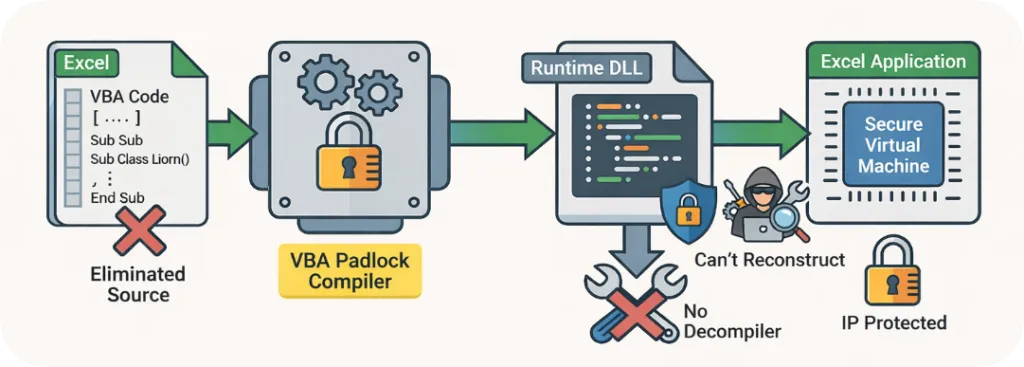
VBA Padlock’s core feature is its ability to compile VBA source code into native, protected DLLs.
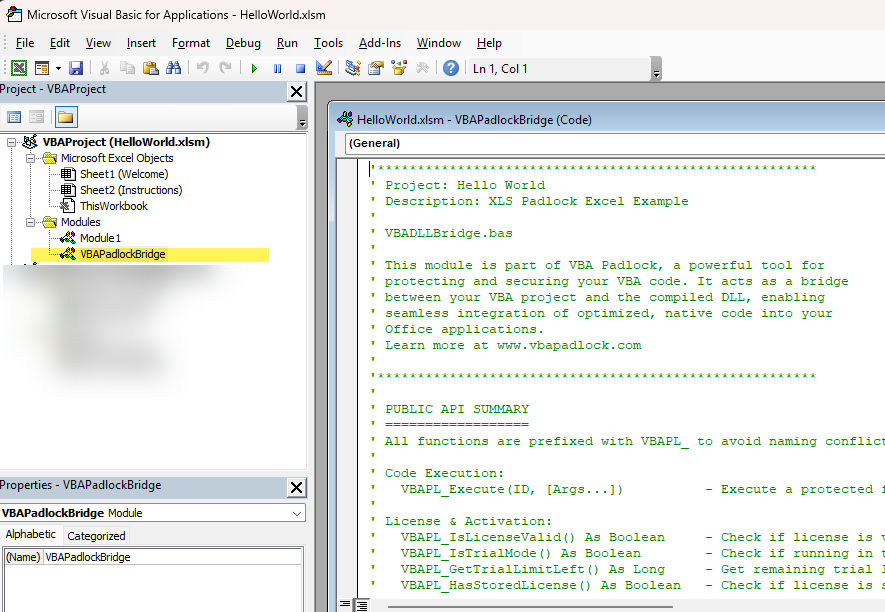
Instead of leaving your intellectual property exposed in the insecure VBA editor, your logic is transformed into encrypted bytecode and moved into external library files. The Office document itself only contains a lightweight VBA Bridge module that acts as a secure connector.
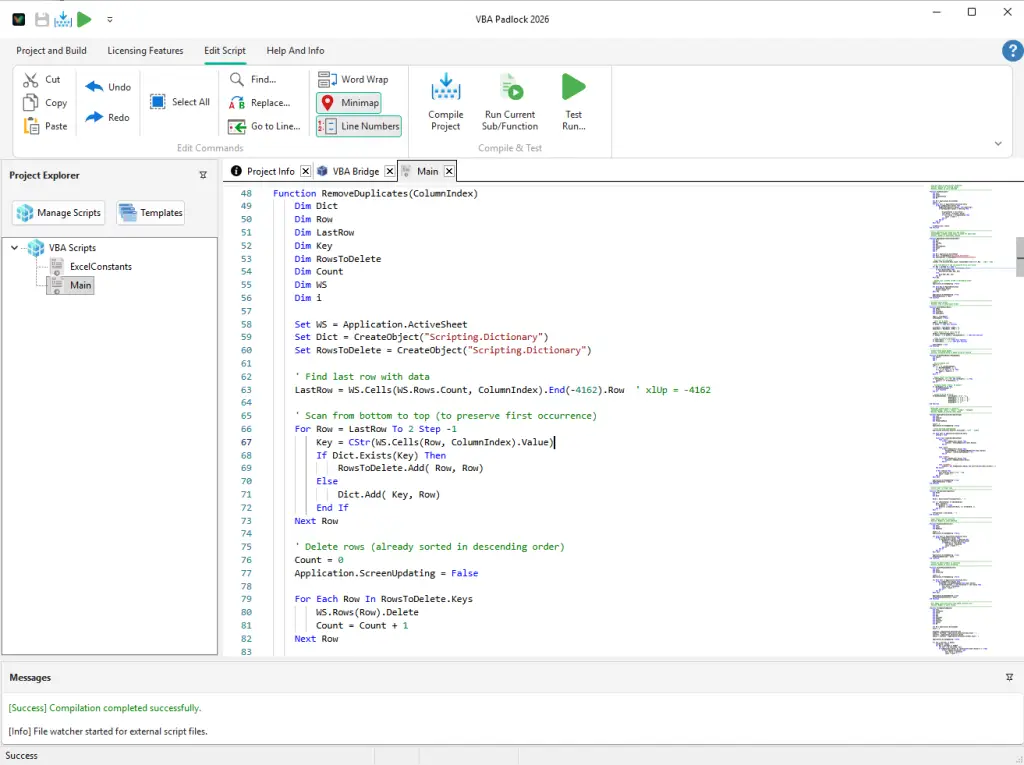
Open your macro-enabled Office file. VBA Padlock extracts its VBA modules through a read-only COM session (macros stay disabled) and runs the compile gate: a per-procedure analysis deciding what can move into the DLL and what must stay in the document. The Protection Review shows every verdict with its reason.
Developer Tip: Because the extracted scripts are stored as plain text files, you can use AI Coding Agents (like Claude Code, Gemini, OpenAI Codex or Cursor) to refactor code, fix compatibility issues, or write entirely new protected modules.
Press F5 in the Studio (or let Produce do it for you).
VBA Padlock translates your source code into a unique, encrypted bytecode.
A project-specific Satellite DLL is generated, containing this secure code.
Produce Protected Office File builds delegating wrapper procedures (same names, same signatures as your originals), refreshes the VBA Bridge module, and injects everything into a copy of your document, MyWorkbook_protected.xlsm, after taking a checksum-verified backup. Your buttons, events, and worksheet formulas keep working; your logic is gone from the file.
Compiled scripts are not “disconnected” from your workbook. They have full, high-speed access to the host application.
Full Object Model: Use Application.ActiveWorkbook / ActiveSheet (Excel), Application.ActiveDocument (Word), Application.ActivePresentation (PowerPoint), or Application.CurrentDb (Access). Unqualified host globals are qualified automatically during conversion.
COM Support: Use CreateObject for FileSystemObject, ADODB, or custom libraries.
After production, each protected procedure is replaced in the document by a delegating wrapper with the same name and signature, so every button, event, and formula that called it keeps working:
' --- COMPILED SIDE (moved into the DLL) ---
Public Function CalculateTax(Amount)
' This code is invisible to the user and survives reverse-engineering
CalculateTax= Amount*0.20
End Function
' --- OFFICE VBA SIDE (the generated wrapper left in the document) ---
A common misconception is that compiled code is “isolated” from your document. On the contrary, your protected scripts have full, native access to the host application.
Execute SQL queries, open recordsets, manage data.
Microsoft PowerPoint
Application.ActivePresentation
Create slides, automate animations, export to PDF.
Pro Tip: Moving your heavy data processing into the compiled DLL is not only more secure, it is often faster because it bypasses the overhead of the standard VBA interpreter for complex logic.