Features
Compile your VBA to a native DLL, license what you build, and ship it. Every capability below is shown as it appears in VBA Padlock Studio.
Compiled, not hidden
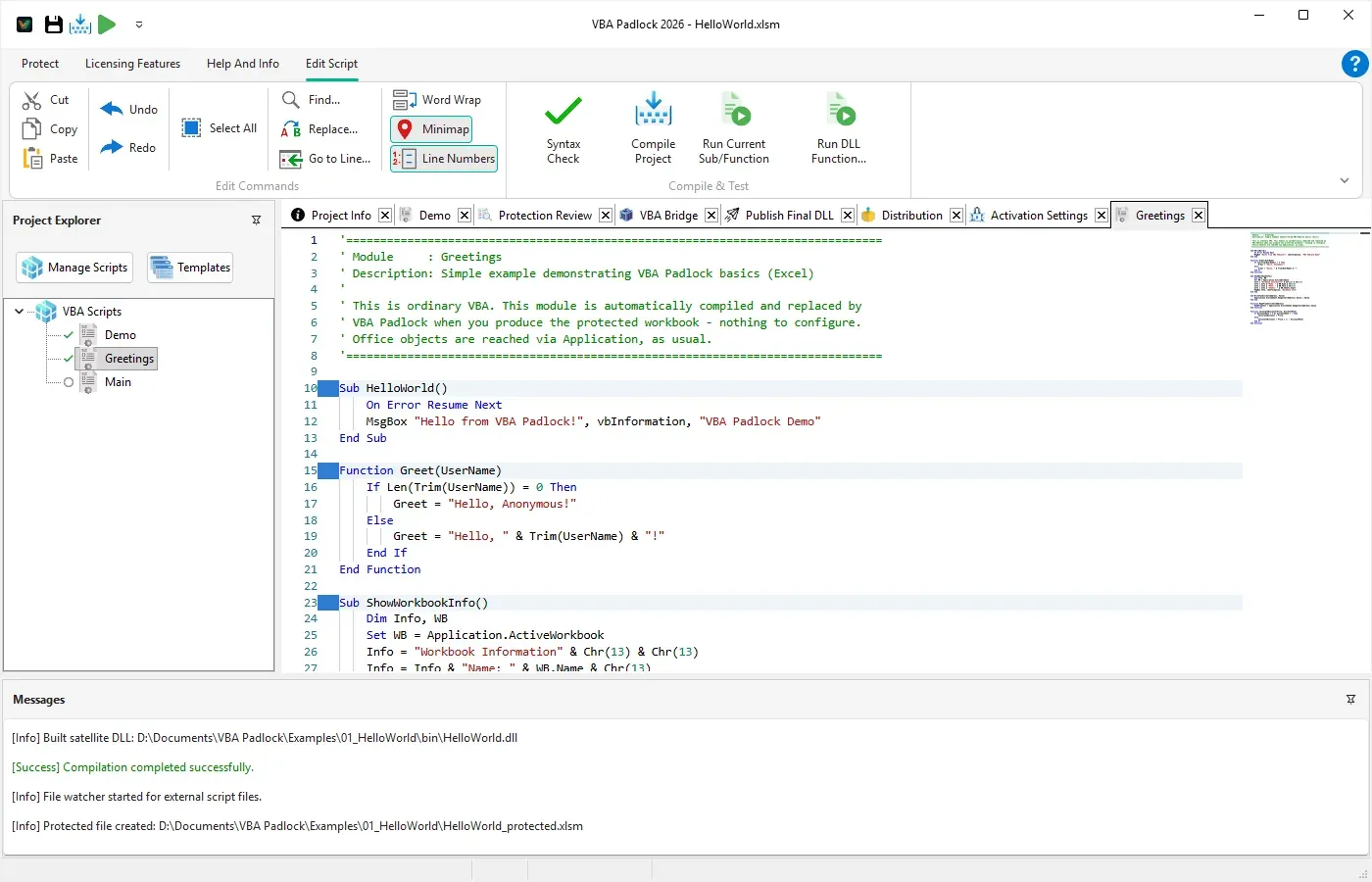
VBA Padlock does not obfuscate your source or hide it behind a password. It compiles your procedures to bytecode inside a native DLL and removes them from the file you ship. What ships is a document that calls into a DLL, not a document with your code in it.
- Automatic analysis of your existing Office file, procedure by procedure
- 32-bit and 64-bit DLLs generated together, so one build covers both Office architectures
- Original source removed from the Office file, not hidden inside it
- Wrappers and the
VBAPLBridgemodule generated and injected for you - Classes, Property accessors, Enum, Type, and 80+ built-in functions supported
What stays in your document
Not every procedure can move. Office has to be able to call some code in the file itself, and VBA Padlock tells you exactly which, before you ship. The Protection Review gives every procedure in your project a verdict.
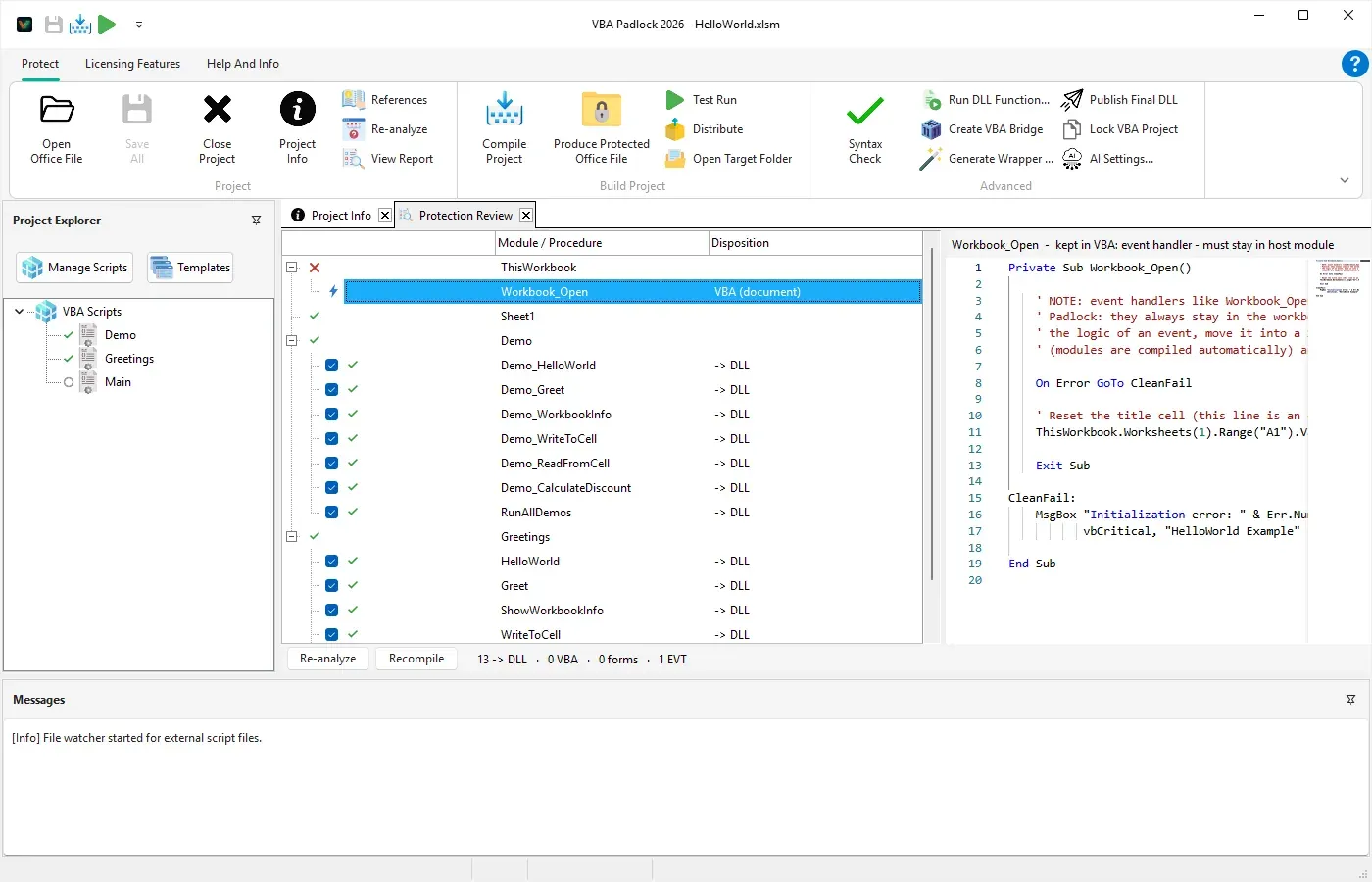
| Element | Verdict | Why |
|---|---|---|
| Procedures and class modules | -> DLL | Compiled to bytecode and removed from the document |
| UserForms | VBA (form) | UserForm modules cannot run in a DLL |
| Document modules | VBA (document) | Office instantiates these modules itself |
| Event handlers | VBA | Must stay in the host module so Office can raise the event |
| Calls a procedure that stayed | VBA | Reported as depending on that procedure, by name |
| Shares module-level state | VBA | Reported as shared module-level state, with the variable named |
| Uses an unqualified host global | VBA | The protected DLL cannot resolve that host object |
| The VBAPLBridge module | VBA | It is the bridge itself, and the document has to be able to call it |
Anything left in VBA is code you can still act on. When the Review shows a procedure staying behind because it handles an event or shares module-level state, the usual fix is to keep the thin part in the document and move the body into a procedure that compiles. You decide what ships, with the verdicts in front of you.
Licensing and activation, built into the DLL
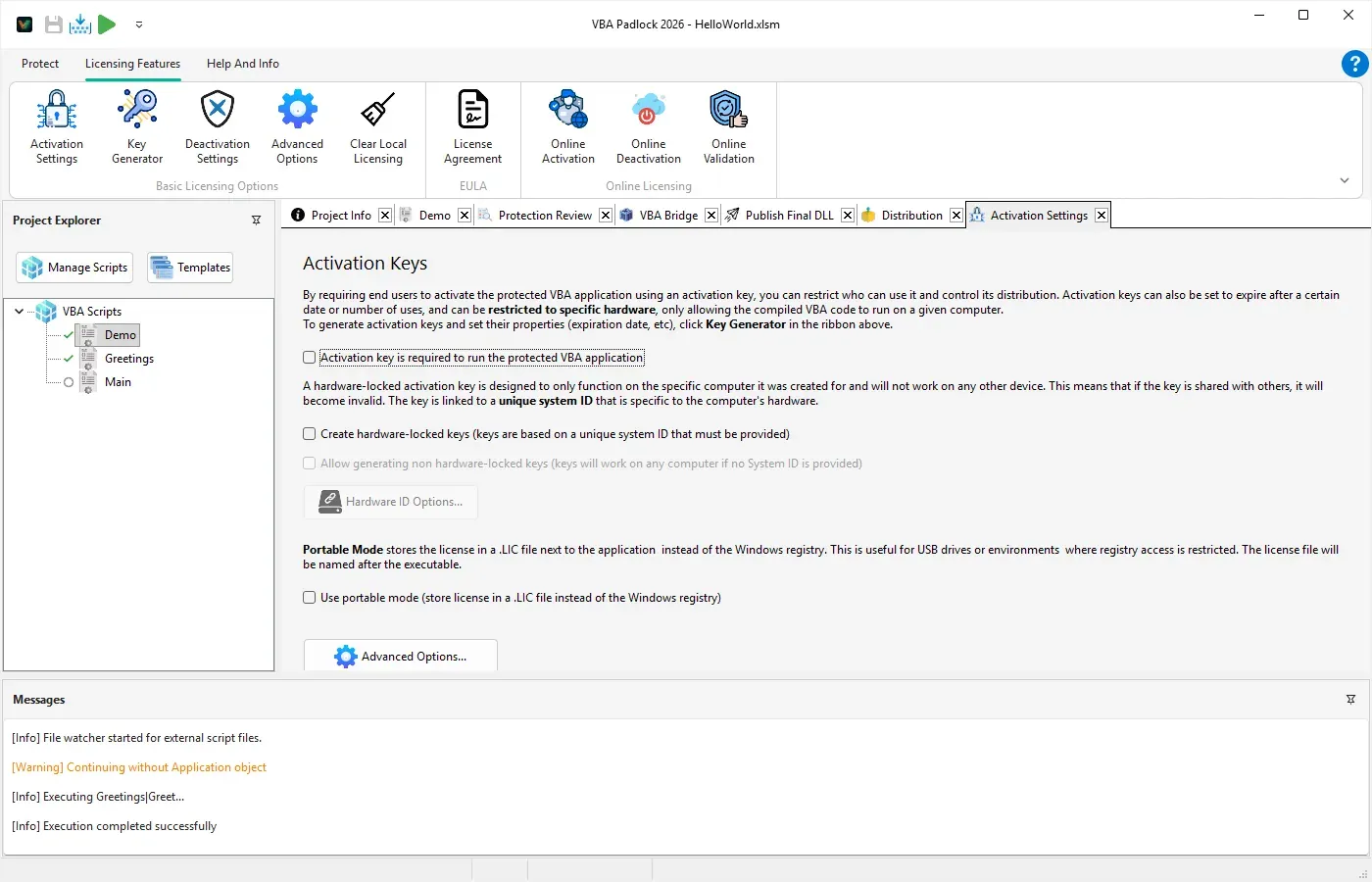
The protection and the licensing are the same build. Your compiled DLL can require a key, run as a trial, bind to a machine, and check in with your own server, without you writing an activation dialog.
- Built-in activation dialog, no extra UI code to write
- Hardware-locked keys, so a key cannot be shared between machines
- Full, Trial, Subscription, and Feature-based license models
- Built-in key generator with batch export
- Optional online activation with the included PHP kit, running on your own server
- Deactivation support, so a customer can move a license to a new machine
From project to shipped file
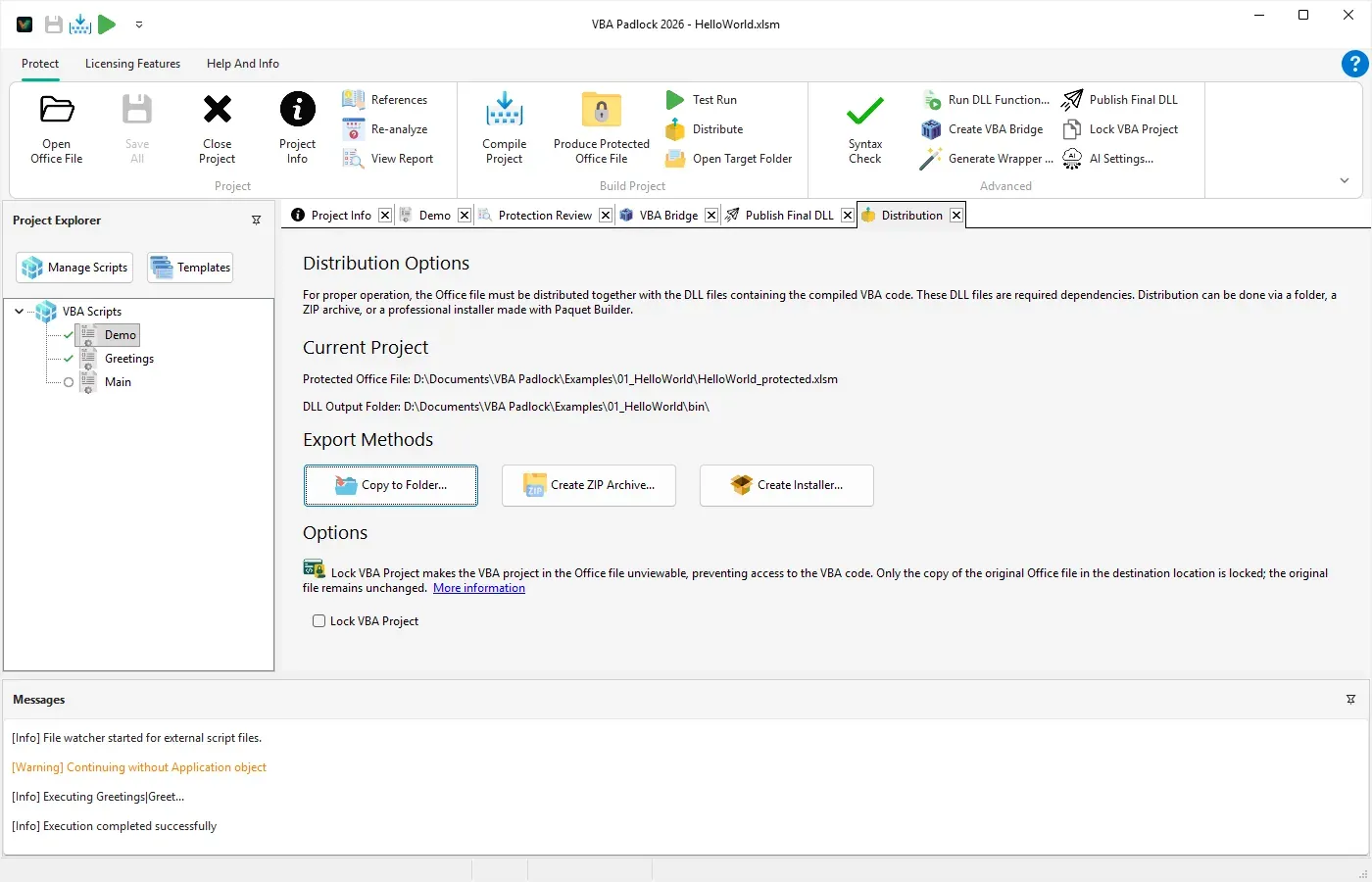
Produce writes a protected copy next to your source and never modifies the original. The Distribution tab then assembles exactly what your customer needs: the protected file and its bin folder, in the layout the bridge expects.
- Produce writes
<name>_protectednext to your source, leaving the original untouched - Test Run produces the file and opens it in Office in one step
- One-click ZIP with the correct
bin/structure - Built-in installer generator for a professional setup experience
- Distribution warns you before shipping an unprotected source file
Every feature in detail
One page per capability, named for what it covers.
- VBA Code Compilation Compile VBA code into native 32-bit and 64-bit DLLs, with the original source removed from the Office file.
- Hardware-Locked Licensing Bind licenses to specific machines using unique Hardware IDs.
- VBA Padlock Studio Modern development environment with automatic analysis, code editor, and project management.
- Integrated Licensing System License keys, trial periods, and hardware-locked activation built into your DLL.
- Online Activation System Server-based activation with included PHP activation kit.
- Easy Distribution Package and ship your protected VBA application in one click.
- Multi-Office Application Support Works with Excel, Word, Access, and PowerPoint VBA projects.
- Advanced Copy Protection Eliminate source code from Office files so it cannot be copied or reverse engineered.
Ready to Monetize Your VBA Projects?
Download VBA Padlock and start selling protected Office solutions. One-time purchase, no royalties, no subscription.