Project folder
<OfficeFileName>.vbapadlock next to your .xlsm, .docm, .accdb, or .pptm file.
Every VBA Padlock project is stored as a directory next to your Office file. Understanding this layout makes backup, version control, CI builds, and troubleshooting much easier.
Project folder
<OfficeFileName>.vbapadlock next to your .xlsm, .docm, .accdb, or .pptm file.
Core source
Main.bas + additional .bas modules are your protected script source files.
Build output
Final binaries are generated into a sibling bin/ directory.
When you open an Office file, VBA Padlock automatically looks for a folder with the same base name and .vbapadlock suffix.
MyWorkbook.xlsm in VBA Padlock Studio.MyWorkbook.vbapadlock/ in the same folder.| Office File | Expected Project Directory |
|---|---|
MyWorkbook.xlsm | MyWorkbook.vbapadlock\ |
Report.docm | Report.vbapadlock\ |
Database.accdb | Database.vbapadlock\ |
Presentation.pptm | Presentation.vbapadlock\ |
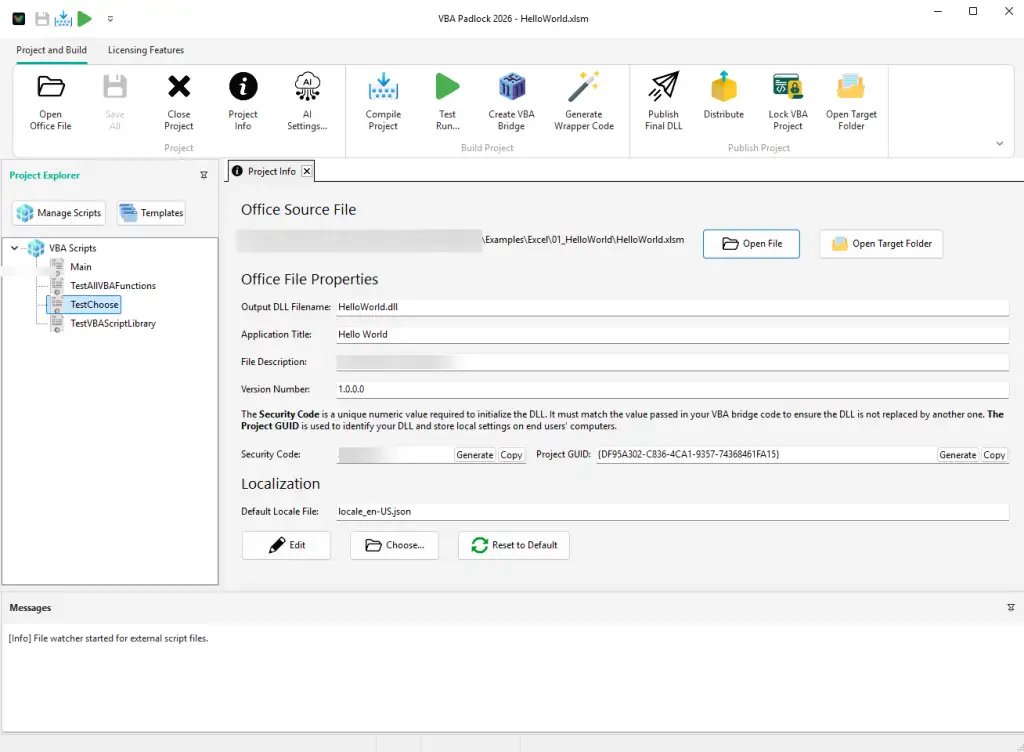
project.xmlproject.xml is the central settings file for your project (managed internally by VBA Padlock Studio). It stores:
Library\ constant modules compile into the DLL).bas and .cls)Each .bas file is a standard VBA module, and each .cls file a class module, compiled into your protected DLL. In the automatic workflow most of them are extracted from your Office file during analysis and kept in sync by Re-analyze; you can add hand-written modules alongside them.
| File | Role | Description |
|---|---|---|
Main.bas | main | Default entry module. Functions called without a module prefix are searched here. Created automatically; often stays an empty stub in automatic projects. |
*.bas | custom | Standard modules (extracted or hand-written). |
*.cls | class | Class modules, compiled into the DLL and removed from the protected document. |
*.bak | backup | Created by the divergence guard before a stored module is overwritten. |
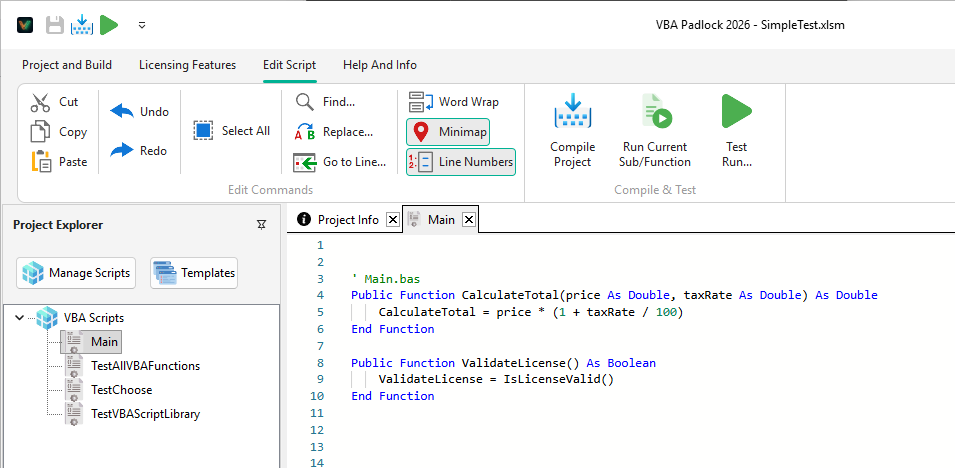
Recommended format:
Example Main.bas:
' Main module - entry point for the compiled applicationPublic Function Initialize() As String    Initialize = "Application initialized successfully"End Function
Public Function CalculatePrice(quantity As Long, unitPrice As Double, taxRate As Double) As Double    CalculatePrice = quantity * unitPrice * (1 + taxRate)End Function
mainicon.ico (optional)If present, mainicon.ico is embedded into generated DLL resources.
| Format | Storage | Status |
|---|---|---|
| External (current) | Individual .bas files in .vbapadlock | Recommended for all new projects |
| Legacy | Inline scripts in .vbaplproj | Supported for backward compatibility |
bin/)Produce writes the protected copy next to your source and the runtime artifacts into bin/:
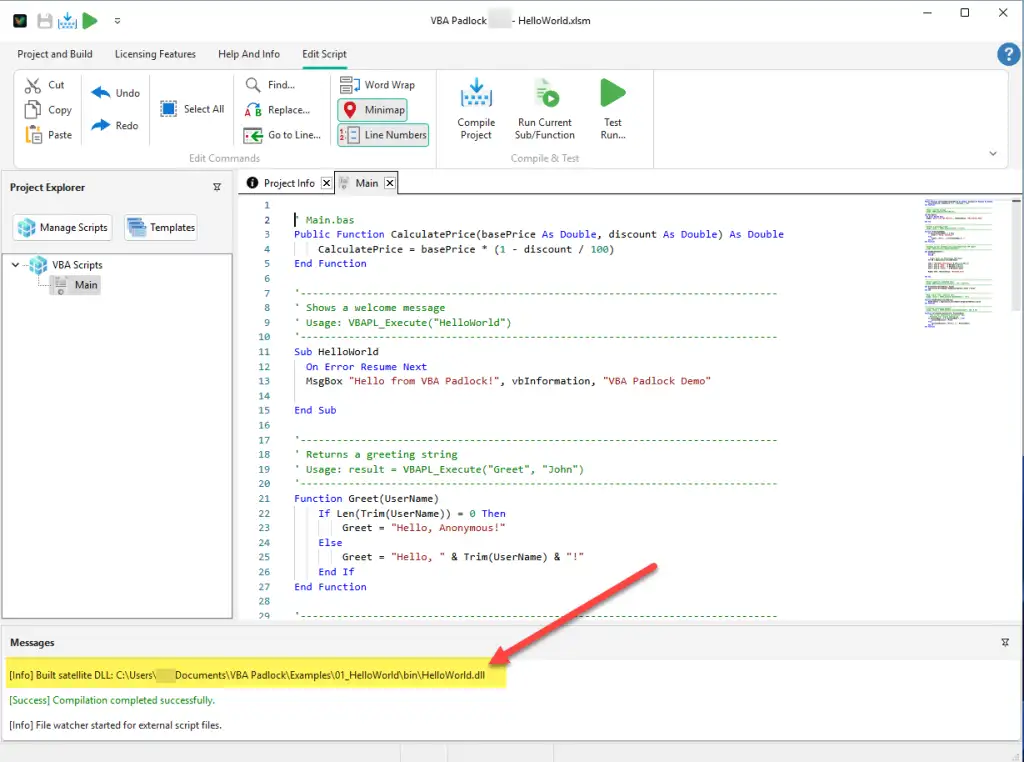
| File | Description | Required for deployment |
|---|---|---|
MyWorkbookrun32.dll | 32-bit runtime loader | Yes |
MyWorkbookrun64.dll | 64-bit runtime loader | Yes |
MyWorkbook.dll | Satellite DLL containing protected bytecode | Yes |
| Extension | Application | Description |
|---|---|---|
.xlsm | Excel | Macro-enabled workbook |
.xlsb | Excel | Binary workbook (macro-enabled) |
.xla / .xlam | Excel | Add-in |
.docm | Word | Macro-enabled document |
.dotm | Word | Macro-enabled template |
.accdb | Access | Database |
.accde | Access | Execute-only database |
.pptm | PowerPoint | Macro-enabled presentation |
.ppam | PowerPoint | Add-in |
Track source and configuration, ignore generated artifacts.
Include in repository:
.xlsm, .docm, etc.).vbapadlock/ directory (project.xml, .bas/.cls modules, optional mainicon.ico)Exclude from repository:
bin/ output folder*_protected.* copies.bak divergence backups# VBA Padlock build outputbin/*_protected.**.bakCreating Your First Project
Step-by-step setup from opening a document to first compilation. Open guide →
Batch Compilation & CI/CD
Automate builds with command-line switches and pipelines. Open guide →
Distribution
Package and ship your Office file with all required runtime files. Open reference →