Which Padlock Do You Need?
Two products, two different jobs. Find yours in 30 seconds.
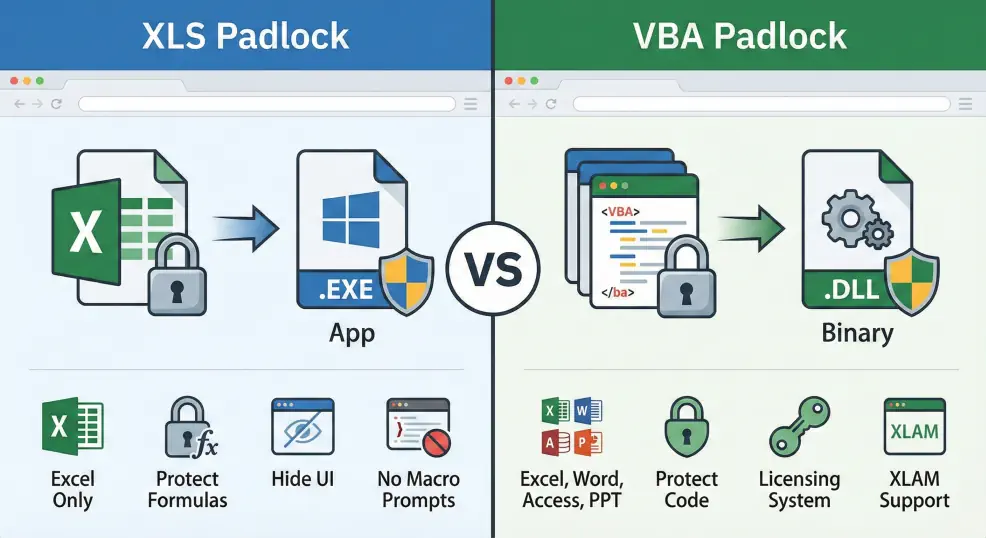
Answer One Question
What is the main asset you need to protect?
Side-by-Side Comparison
A detailed feature matrix to help you decide.
| Feature | XLS Padlock | VBA Padlock |
|---|---|---|
| Main goal | Workbook → EXE App | VBA → Signed DLLs |
| Output format | .exe executable | .dll binaries + Office file |
| Protects formulas & cell data | ||
| Protects VBA macros | Partial (VBE lock) | |
| Office support | Excel only | Excel, Word, Access, PPT |
| XLAM / DOTM add-in support | ||
| Hide Excel UI (ribbon, menus) | ||
| Auto-enable macros (no prompt) | ||
| License keys & hardware locking | ||
| Online activation server | ||
| Automatic updates | ||
| Developer API (VBA) |
Common Scenarios
Real-world situations - find the one that matches yours.
Ready to Protect Your Work?
XLS Padlock
Turn your Excel workbook into a secure, standalone Windows application with encrypted formulas and built-in licensing.
Visit xlspadlock.comVBA Padlock
Compile your VBA macros into signed 32-bit and 64-bit DLLs. Works with Excel, Word, Access, and PowerPoint.
Download Free TrialStill Not Sure?
Answers to the most common questions about choosing between XLS Padlock and VBA Padlock.
Can I use both XLS Padlock and VBA Padlock together?
Yes. XLS Padlock protects your workbook (formulas, structure, UI) and VBA Padlock protects your VBA source code. If your Excel project has both sensitive formulas and valuable VBA macros, using both gives you the strongest protection. To do this, add the three DLLs from VBA Padlock's bin/ folder as Companion Files in XLS Padlock so they are bundled inside the generated EXE.
I have an XLAM add-in - which product do I need?
VBA Padlock. XLS Padlock does not support Excel Add-in files (.xlam). VBA Padlock compiles your add-in's VBA code into signed DLLs and includes a licensing system so you can sell it commercially.
I want to hide my Excel formulas. Which product?
XLS Padlock. VBA Padlock protects VBA macros, not cell formulas or workbook structure. XLS Padlock encrypts the entire workbook and prevents "Save As", so your formulas are never exposed.
Do I need VBA Padlock for Word, Access, or PowerPoint?
Yes. Of the two Padlock products, VBA Padlock is the one that covers Excel, Word, Access, and PowerPoint; XLS Padlock is Excel-only. If your VBA project runs in Word, Access, or PowerPoint, VBA Padlock is the one to use.
Which product includes a licensing system?
Both include licensing features: trial periods, hardware locking, and license keys. However, VBA Padlock's licensing is more developer-oriented with an API you can call from your code, online activation, and a PHP server kit for managing activations.
Still have questions?
Contact Us