VBA Padlock 2026.2 is here, and it changes how you protect your work. Until now, you moved your sensitive code into VBA Padlock yourself. With this release, protection is automatic: open your existing Excel, Word, PowerPoint, or Access file, and VBA Padlock analyzes your macros, compiles them into the protected DLL, and produces a ready-to-ship protected copy. No rewriting, no copy-pasting, no manual wiring.
Protection Is Now Automatic
The new workflow has three steps:
- Open your macro-enabled file. VBA Padlock extracts your VBA modules directly from the document (macros stay disabled during the read) and analyzes them on the spot.
- Review the analysis. The new Protection Review shows every module and procedure with a verdict: it moves into the compiled DLL, or it stays in the document, always with the reason spelled out. Event handlers, UserForms, and document code stay where Office needs them; everything else can move. Per-procedure checkboxes let you override any decision.
- Produce. One click compiles your procedures into the DLL, generates delegating wrappers with the same names and signatures as your originals, refreshes the VBA bridge, and injects everything into a copy of your document, saved as
YourFile_protected.xlsm. Your source file is never modified.
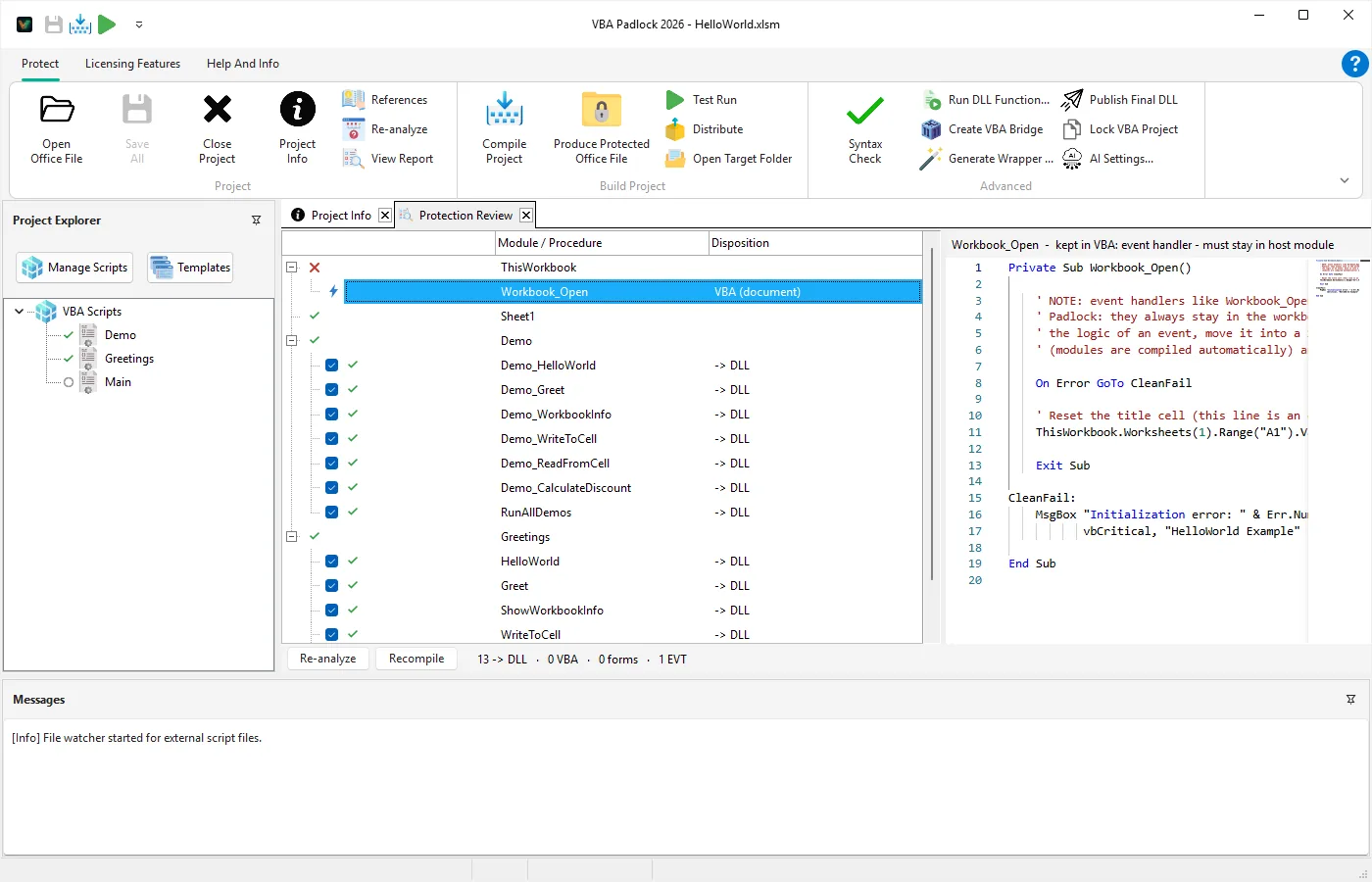
Your buttons, event handlers, and worksheet formulas keep working exactly as before, because the wrappers keep the original names. Open the VBA editor in the protected copy and see for yourself: the logic is gone.
Test Run (Ctrl+F5) tightens the loop further: it produces the protected file and opens it straight in Office.
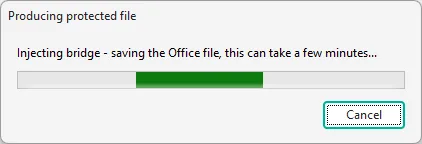
Safety is built in at every step: the conversion works copy-first with a checksum-verified backup, a cancel button that is honored up to the last safe point, and a verification pass before success is reported. All four Office applications are supported end to end.
Class Modules Compile Into the DLL
VBA Padlock now compiles class modules (.cls): New, Me, public and private members, Class_Initialize, Property Get/Let/Set (including parameterized properties), default members, Implements with multiple interfaces, and TypeOf ... Is checks. Protected classes are removed from the document entirely, making them ideal for your most sensitive logic:
' PriceEngine.cls - compiled into the DLL, removed from the workbookPrivate mRate As Double
Private Sub Class_Initialize()    mRate = 0.2End Sub
Public Property Get Rate() As Double    Rate = mRateEnd Property
Public Function NetPrice(Amount As Double) As Double    NetPrice = Amount * (1 + mRate)End Function
The new bundled example 05_ClassModuleDemo shows a protected class at work in a real workbook.
A Much Bigger VBA Engine
The compiler accepts far more real-world VBA than before:
CollectionwithAdd,Item,Remove,Count, string keys, andFor Each- User-defined types (
Type ... End Type) with true value-copy semantics, including array fields - Conditional compilation: nested
#If / #ElseIf / #Else / #End Ifand#Const Declare PtrSafewithLongLong,LongPtr, andAs AnyParamArray, multi-dimensional arrays,ReDim (lo To hi),Option BaseOption Compare TextandDatabase, honored per module by comparisons,Select Case,Like, and string functionsStaticlocals, theMidstatement,GetObject, chained indexingx(a)(b)- New built-ins including
IIf,Choose,Switch,DateAdd,DateDiff,Format,TypeName, and more, for a total of 80+ built-in functions
Office Constants Built In
The new References dialog compiles symbolic Office constants straight into your DLL: xlUp, wdFormatPDF, ppLayoutTitle, acExportDelim, msoTrue, and thousands more. The right libraries are pre-selected for your host application, so existing code that uses named constants compiles without changes. Financial and error-handling helper modules are included too.
Drive It from Scripts and AI Agents
The built-in MCP server now exposes 19 tools covering the whole pipeline: open a file, read and edit modules, check syntax, build the DLLs, and package a distribution ZIP. Connect Claude, ChatGPT, or Gemini from the AI Settings dialog, or run VBA Padlock headless with the -silent switch for CI builds.
Other Improvements
- Unified interface - one workflow for every project, with the new Protect ribbon tab and per-procedure protection markers right in the code editor
- Browse Examples - reworked sample projects for all four hosts, one click away from the Welcome screen
- Per-module lock - protect hand-tuned modules from being overwritten by a re-analysis
- Distribution safety - the Distribution tab tells you exactly which file will ship and warns before you ship an unprotected source
- High-DPI support - all runtime dialogs (activation, EULA, trial) now scale correctly with Windows text-size settings
- Compiler fixes -
On Error Resume Nextresumes correctly after mid-expression errors, cross-module calls always resolve to the right module, andIsNumericbehaves under comma-decimal locales
Get Started
Download VBA Padlock 2026.2 and protect your first workbook in minutes: open it, review, produce. If you’re new, follow the Quick Start Guide or read about the Automatic Protection Workflow.
Already a registered user? Use Check for Updates in the Help And Info tab to update directly from within VBA Padlock.