Your VBA Code Can Be Stolen
in Under a Minute
Any VBA password can be removed for free. VBA Padlock compiles your macros into a signed DLL — hardware-locked, licensed, and impossible to decompile.
Why VBA Passwords Give You a False Sense of Security
The VBA password built into Office files is not encryption. It is a simple access flag that free tools can clear in seconds — without ever knowing the original password.
Once unlocked, anyone can open the Visual Basic Editor and read every function, every algorithm, every formula you wrote. If you distribute macros commercially, your intellectual property is completely exposed.
Obfuscators only rename variables. The logic remains in plain VBA and is just as readable after a few minutes of reverse engineering.
- Bypassed by free tools in seconds
- Source code fully visible in VBA Editor
- No licensing or trial mode
- No control over who runs your code
- Code compiled to encrypted bytecode in DLL
- Nothing to crack in the Office file
- Hardware-locked license keys included
- Trial mode, EULA, and online activation
How VBA Padlock Protects Your Code
Three steps to turn your exposed VBA macros into a professional, distributed software product.
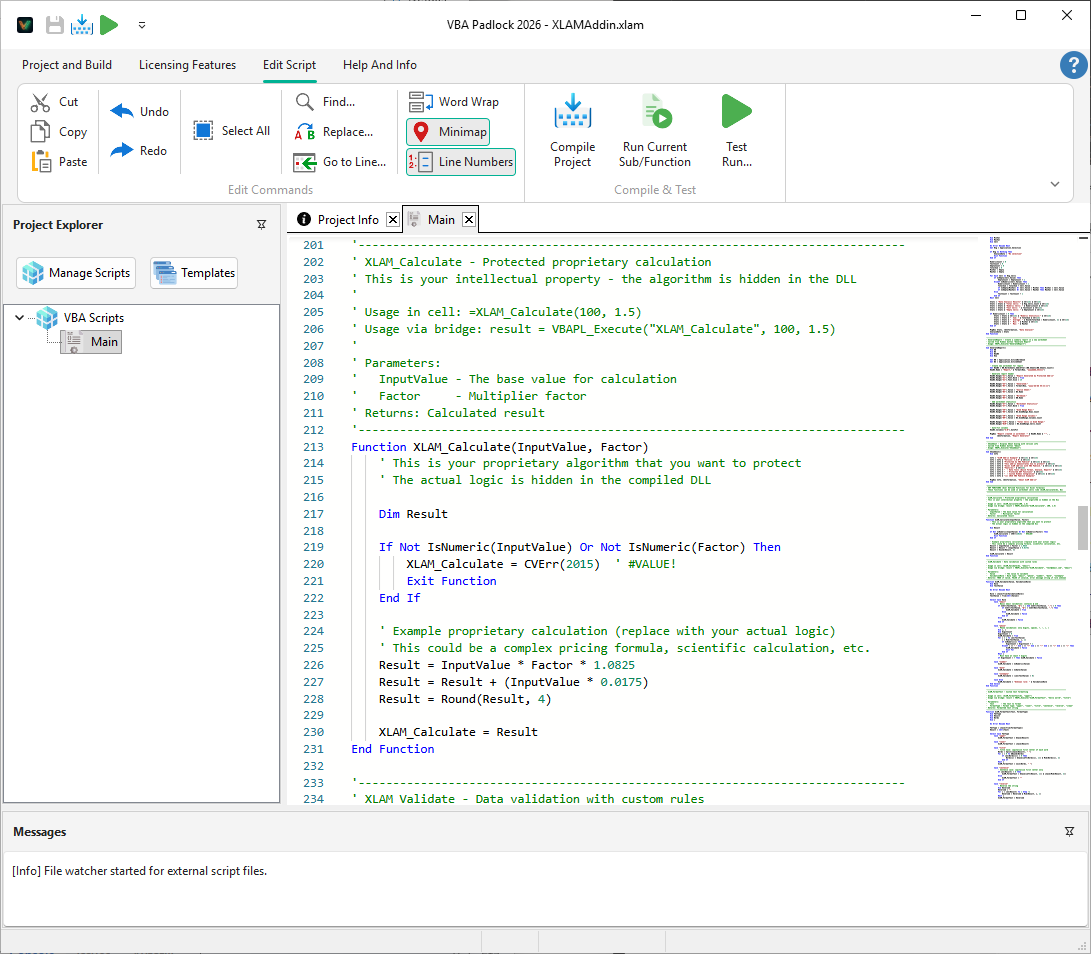
Write in VBA Padlock Studio
Write or paste your VBA code into the built-in IDE with syntax highlighting. Your source stays on your machine — it never touches any cloud.
Publish to Signed DLLs
Click Publish. VBA Padlock compiles your code into 32-bit and 64-bit DLLs signed by Authenticode. A VBA Bridge is injected into your Office file automatically.
Distribute & License
Ship the Office file with the bin/ folder. End users run your macros normally. License keys, trial dialogs, and online activation are all built in.
What Your Workbook Looks Like After Protection
All logic moves into the compiled DLL. The VBA Editor only shows a thin Bridge — no proprietary code to steal.
' This code is compiled to bytecode.
' It cannot be seen in the VBA Editor.

Function CalculatePrice(BasePrice, Qty)
    Dim discount As Double
    If Qty >= 100 Then
        discount = 0.2
    ElseIf Qty >= 50 Then
        discount = 0.1
    Else
        discount = 0
    End If
    CalculatePrice = BasePrice * Qty _
        * (1 - discount)
End Function' Auto-generated VBA Bridge.
' No proprietary code here.
Sub Sheet1_OnClick()
Dim result As Variant
result = VBAPL_Execute( _
"CalculatePrice", _
Range("B2").Value, _
Range("C2").Value)
Range("D2").Value = result
End SubEverything You Need to Commercialize Your VBA Work
VBA Padlock is more than a code protector. It is a complete platform for turning macros into commercial software.
Code Compiled, Not Locked
Your VBA source code is compiled into bytecode inside a native DLL. No password to crack — the code simply doesn't exist in the Office file.
Hardware-Locked Licensing
Bind activation keys to specific machines. Control exactly how many computers can run your application at once.
Online Activation Server
Deploy a PHP activation server kit to automate key distribution, deactivation, and license transfers. Included with every license.
Trial Mode & EULA
Add a configurable trial period with nag screens and a license agreement dialog. Standard commercial software behavior, zero extra code.
32-bit & 64-bit Output
VBA Padlock automatically builds both architectures. Your DLLs work with 32-bit and 64-bit Office installations without any extra steps.
All Office Applications
One tool covers Excel, Word, Access, and PowerPoint. Compile workbooks, add-ins, templates, and database applications from a single IDE.
Frequently Asked Questions
Is VBA password protection really that easy to bypass?
How does VBA Padlock protect my code differently?
Will my macros still work exactly the same way?
Does VBA Padlock include a licensing system?
How much does VBA Padlock cost?
Which Office applications are supported?
Ready to Monetize Your VBA Projects?
Download VBA Padlock and start selling protected Office solutions — no royalties, no subscriptions.