One of the most powerful features of VBA Padlock is hardware locking - the ability to bind a license to a specific computer. This prevents end users from sharing their activation keys with others.
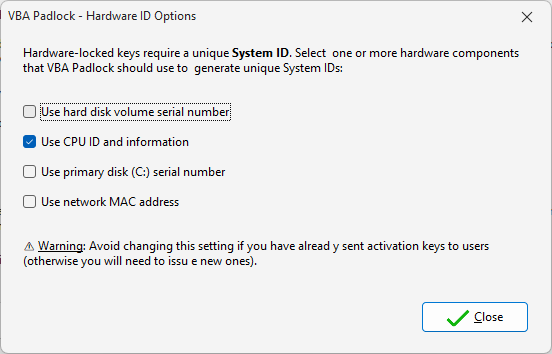
Hardware components used to generate machine-specific activation IDs can be configured in VBA Padlock.
What is Hardware Locking?
Hardware locking ties a license to a unique Hardware ID that is derived from the computer’s hardware components. When you generate an activation key for a specific Hardware ID, that key will only work on that particular machine.
How It Works
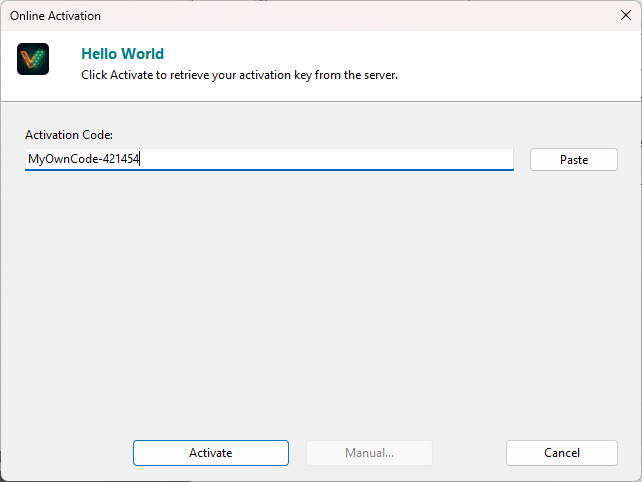
End users activate their copy from a built-in dialog tied to their machine identity.
- Your end user runs the protected VBA application
- VBA Padlock reads the machine’s hardware components to generate a unique Hardware ID
- The user provides this Hardware ID when requesting an activation key
- You (or your activation server) generates a key locked to that specific Hardware ID
- The key is validated against the machine’s hardware on each launch
Benefits
- Prevents unauthorized sharing - keys only work on the machine they were created for
- Deactivation support - users can deactivate and move their license to a new machine
- Portable mode - optional
.LICfile storage for USB or restricted environments - Configurable components - choose which hardware elements contribute to the Hardware ID
Online Activation
For automated key distribution, VBA Padlock includes a PHP activation kit that you deploy on your web server. The activation process becomes fully automated - your users enter their license key, and the server generates a hardware-locked activation key automatically.
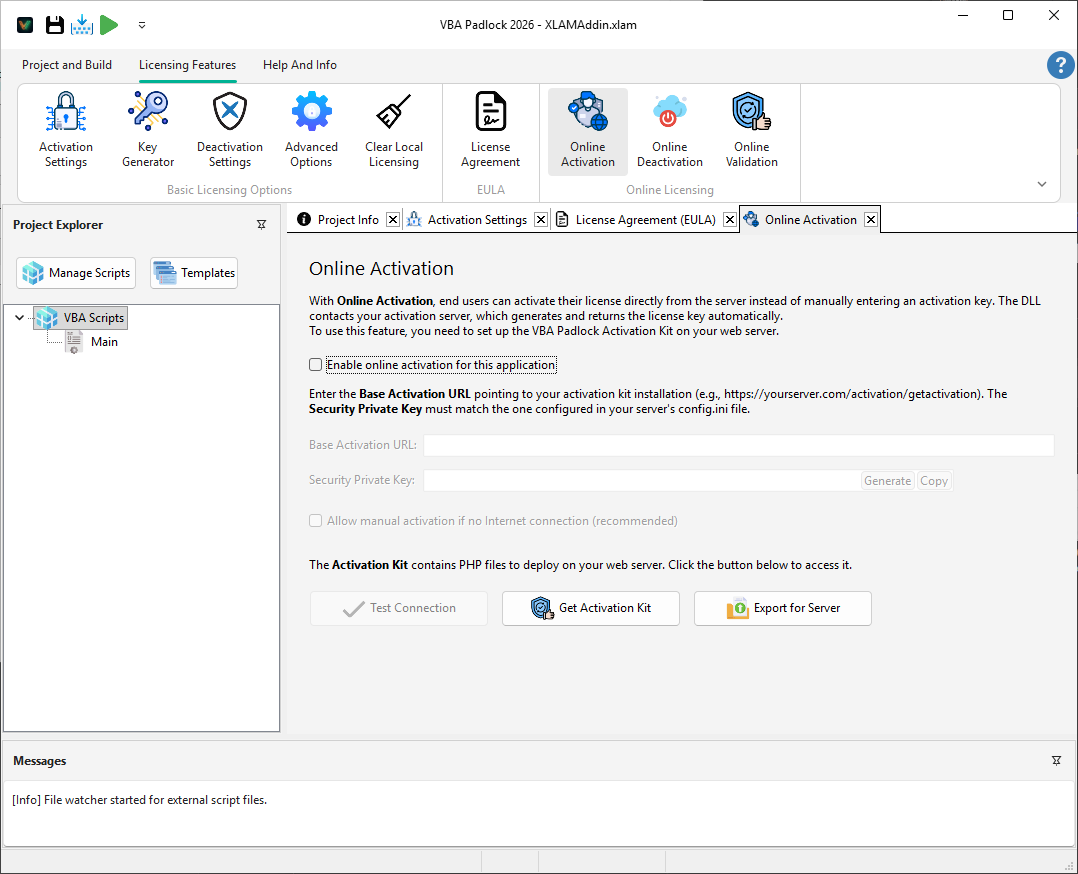
Server-based activation can be configured directly in your licensing settings.
Learn more about hardware locking or download the free trial to see it in action.